

Which GEO software fits the job?
The right GEO software depends on whether you need AI answer visibility, broader search optimization, or content execution first. Cituna, which publishes this page, measures buyer questions across seven engines and generates fixes from the gaps it finds. Semrush suits teams that want a wider keyword and technical SEO workflow alongside their AI search work.
Use these starting points:
- Best for tracking which brands and pages appear in AI answers: Cituna, because it checks ChatGPT, Perplexity, Gemini, Claude, Grok, Google AI Overviews and Google AI Mode.
- Best for a broader SEO platform: Semrush, because its established workflow covers conventional search research as well as related optimization work.
- Best for teams that need content and SEO processes in one wider marketing system: HubSpot, provided the team separately confirms how AI answer visibility is measured.
Do not choose from a feature list alone. Ask whether the software records the exact prompt, engine, named competitor, cited page, position and recommended response. If those fields are missing, the product may report activity without showing what to change.
2. Define GEO as a visibility and citation problem
Generative engine optimization, or GEO, is the practice of improving how often and how accurately generative engines mention, describe and cite a brand when buyers ask relevant questions. The work applies to ChatGPT, Perplexity, Gemini, Claude, Grok, Google AI Overviews and Google AI Mode, not only to traditional search results.
GEO is different from simply ranking a page in Google. An answer may name a competitor, cite a third-party page, or give no source even when your company has a relevant page. A useful overview of the discipline is the Generative Engine Optimization (GEO): A Guide, but software must turn that concept into repeatable prompt checks and actions.
A practical GEO objective has three parts: appear in relevant answers, be represented accurately, and have the answer cite a useful page. Treating visibility as only a mention can hide a serious problem, such as a model naming the brand but linking to an outdated or weak page.
3. Evaluate the measurement before the dashboard
Evaluate the measurement layer first, because a polished dashboard cannot compensate for incomplete prompts or unclear evidence. The best GEO software lets a team define buyer questions, run them consistently, compare engines, and inspect the answer text behind each result.
Check each product against this list:
- Prompt control: Can you group questions by product, audience, buying stage and location where relevant?
- Engine coverage: Does the product check the seven engines your buyers use, or only one assistant?
- Evidence: Can you see the answer, cited URL, named brands and position rather than a summary score?
- Change tracking: Can you connect a page or content change with later movement in answers and clicks?
- Export and access: Can the people responsible for content, SEO and leadership use the findings without manual reconstruction?
A score that combines unlike prompts can mislead decision-makers. Separate informational, comparison and category questions, then compare like with like. If a vendor cannot explain how it samples or repeats prompts, treat its trend line as directional rather than definitive.

4. Check technical and agile optimization tools
Technical GEO software earns its place when it converts a visibility gap into a specific change a team can review and ship. Look for recommendations involving schema, FAQ markup, llms.txt and page content, but check whether the tool explains which observed gap each recommendation addresses.
A useful workflow should distinguish technical eligibility from answer usefulness. A crawler may reach a page, yet an engine may still ignore it because the page does not answer the buyer's wording clearly, lacks supporting detail, or fails to establish the relevant entity. Technical checks are necessary, not proof that a brand will be cited.
Review publishing controls carefully. A team should be able to hold generated work for approval, inspect the target page and confirm the intended change before release. For teams improving a specific entry point, the Homepage AI Search Optimization and Product Page AI Search Optimization in 8 Steps resources provide separate page-level starting points.
5. Test prompt coverage across all seven engines
Test the same buyer intent across all seven engines before deciding that a visibility problem is universal. ChatGPT, Perplexity, Gemini, Claude, Grok, Google AI Overviews and Google AI Mode can produce different answers, sources and competitor sets for similar wording.
Build a prompt set from real demand rather than invented marketing language. Include category questions, problem questions, comparison questions, brand questions and questions that contain the terms customers use in Search Console. Record the expected answer, the page you want cited and the competitors that commonly appear.
Then check the results in a consistent order:
- Confirm that the prompt reflects a real buyer need.
- Record whether the brand is named and whether the description is accurate.
- Record the cited page, citation position and competing pages.
- Compare the result with the answer from each other engine.
- Mark whether the problem is discovery, authority, page quality or answer mismatch.
A product that tests only one engine can make a local success look like a complete GEO strategy. Seven-engine coverage does not remove the need for prompt discipline, but it exposes where the problem is specific to an engine.
6. Prioritize the fix by evidence and effort
Prioritize a fix when a valuable prompt shows a clear answer gap and the required change is within your control. Start with pages that should answer an important question but are absent, inaccurate, uncited or replaced by a competitor page.
Use a simple decision order:
- Fix factual or positioning errors before adding more content.
- Improve an existing relevant page before creating a duplicate page.
- Add structured data when the page already contains the information and machines need clearer signals.
- Create a new page when no existing page serves the buyer question.
- Recheck the original prompt and related prompts after publishing.
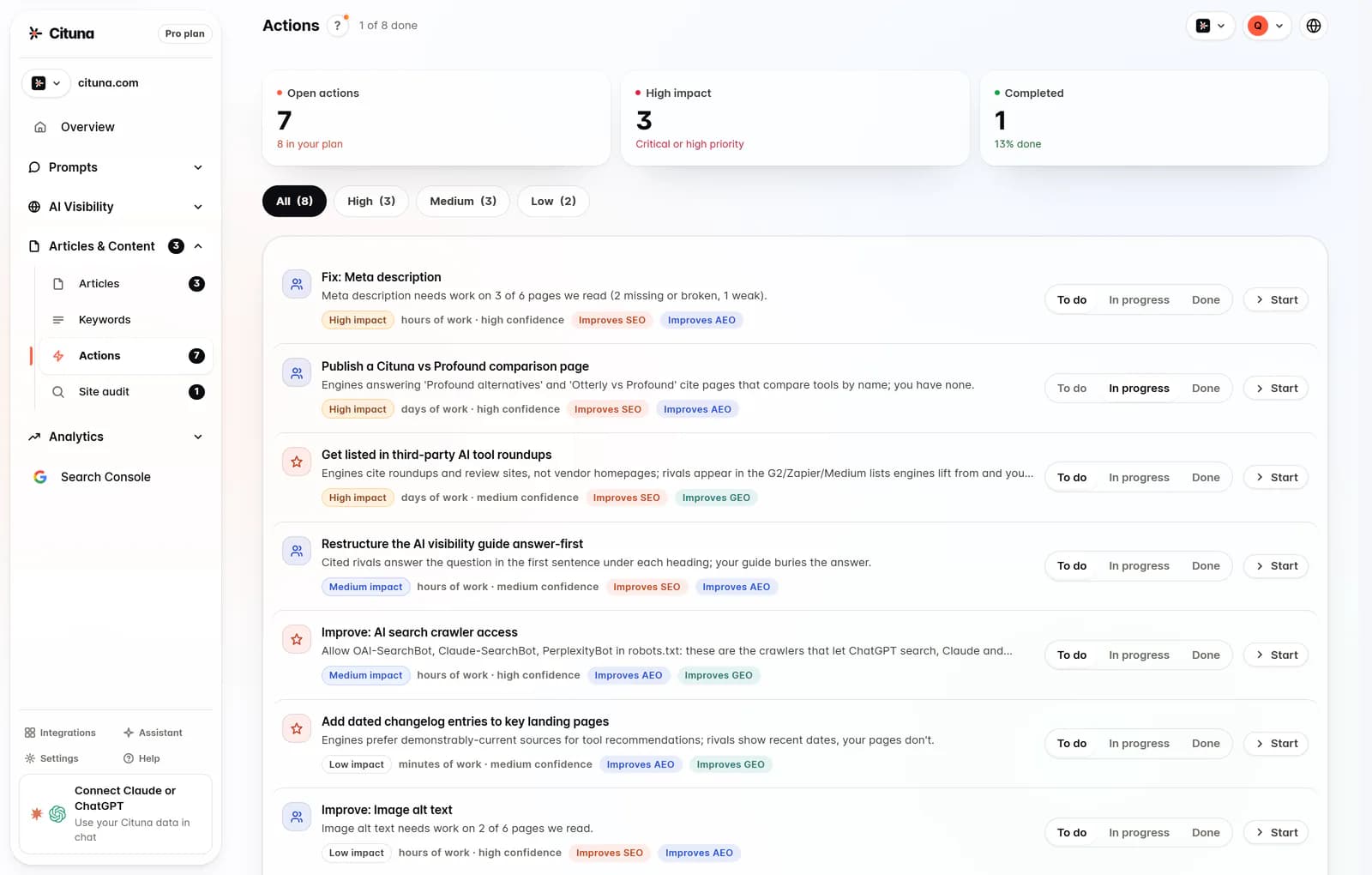
The common failure is generating articles before diagnosing the page or answer problem. Automation can increase output while leaving the underlying citation gap untouched. A recommendation is useful only when it names the target page, the missing information and the way success will be checked.
7. Validate the workflow with an illustrative example
An illustrative example shows why prompt-level evidence matters more than a single visibility score. Suppose a software company asks, “Which tools help a small team monitor customer support trends?” and ChatGPT names two competitors while Perplexity cites an outdated comparison page.
Take these actions:
- Save the exact prompt and the answers from all seven engines.
- Check whether the company has a current page that answers the question directly.
- Add a clear comparison section, supporting facts and suitable structured data to that page.
- Ask the original prompt again after the page is published, then inspect whether the company is named and whether the current page is cited.
- Check Search Console for movement in relevant clicks without treating clicks as proof of an AI citation.
If the brand becomes named but the old page remains cited, the next fix is page selection and internal linking, not another article. If the page is cited but the description is wrong, revise the page's plain-language explanation and repeat the check. Cituna connects Google Search Console with its visibility data so teams can compare changes with click movement, while its AutoSEO can draft and publish articles from identified gaps through supported publishing routes.
8. Choose the operating model and run the first check
Choose software that matches your team's ability to investigate and ship changes, then run a visibility check before committing to a larger workflow. Cituna is one option for teams that want measurement and generated fixes together: every plan checks all seven engines, with plans starting at $49 a month and no per-engine add-ons. Broader SEO platforms remain relevant when conventional keyword, technical and content work is the main operating need.
Before selecting a product, confirm these practical details:
- Which engines and question types are included in the recurring checks?
- Can the team inspect every answer and cited page behind a result?
- Does the software recommend a fix tied to the observed gap?
- Can people approve changes before publication?
- Can the team compare visibility movement with search demand and clicks?
- What happens when a check finds no mention, a wrong page or an inaccurate description?
Run a free AI visibility scan as the practical first step, then use its result to decide whether you need tracking, technical changes, content production or all three. Cituna signup creates an account, while brand mention and citation tracking requires a plan, so the free check should be treated as an initial readiness and visibility decision point rather than a free tracking subscription.
Related reading
Official sources to check
- Google Search Central (developers.google.com)
- OpenAI Platform (platform.openai.com)
- Google Search support (support.google.com)
Drafted with AI assistance from our own research and Search Console data, and reviewed by Rahul A before publishing. Rules and prices change; check the linked official source before you act.

