
Which GEO tool fits the job?
Choose a GEO tool based on whether you need measurement, diagnosis, or action. Cituna, which publishes this guide, is designed for teams that want all three: it asks seven engines the questions buyers ask, records mentions and citations, and generates changes for the gaps it finds. A spreadsheet or manual prompt check can suit a small baseline, while a tracking-only platform suits a team that already has a content workflow.
The key distinction is whether the tool stops at a dashboard. A useful workflow should connect an omitted brand mention to the prompt, competing answer, cited page, missing evidence, proposed change, and later result. That connection is often more valuable than a larger list of metrics.
Check these points before starting:
-
Does the tool cover the engines your buyers use?
-
Does it record both brand mentions and cited URLs?
-
Can the team move from a gap to a page change?
-
Can you test whether the change affected clicks or visibility?
If a tool fails the last two checks, treat it as an observation tool rather than a complete GEO workflow.
2. Define the buyer questions and comparison set
Define a controlled set of buyer questions before running a GEO scan, because changing the prompts makes trend data difficult to interpret. Start with the questions that could introduce, shortlist, compare, or disqualify your company. Include category terms, problem terms, alternatives, use cases, and questions about implementation.
Separate prompts by intent rather than putting every query into one score. A question asking for software options measures discovery, while a question asking how to solve a specific problem measures topical coverage. A comparison prompt may reveal competitors even when your own category page ranks well in traditional search.
Use one prompt set as the baseline and record its owner, intent, location assumptions, language, and review date. Do not silently replace weak prompts with easier ones after a disappointing result. Add new questions in a separate group so improvement reflects a real change, not a more favourable sample.
3. Run the same baseline across all seven engines
Run identical buyer questions across ChatGPT, Perplexity, Gemini, Claude, Grok, Google AI Overviews and Google AI Mode before changing content. Cituna runs these checks every day on every plan and records which brand each answer names and cites, at what position, alongside competing pages.
A single engine result is not a market-wide verdict. Engines retrieve and compose answers differently, so a brand can appear in Google AI Overviews while disappearing from Claude, or receive a mention without earning a citation. Compare engine-level results as well as the combined view.
Genixly's January 19, 2026 article reviews 26 GEO-tracking solutions. The same article lists 7 metrics to consider before using a GEO-tracking tool. Those figures are useful reminders that tool comparison should begin with the measurement question, not with a dashboard screenshot.
Check the baseline for:
-
Brand inclusion in the answer.
-
Position or prominence when the brand appears.
-
Citation of a relevant page.
-
Competitors named instead.
-
The exact prompt and engine that produced the result.
If results vary sharply, preserve the engine-by-engine view instead of averaging the difference away.

4. Inspect the answer evidence, not only the visibility score
Inspect the answer and its sources whenever a GEO tool reports a visibility gap. A score can tell you that the brand is absent, but the answer text shows why the absence matters and which alternative the engine used instead.
Open the cited competitor pages and compare their evidence with yours. Look for direct definitions, clear use cases, supporting facts, original data, product limitations, implementation details, and pages that answer the same prompt without forcing the reader to infer the conclusion. Also check whether your page is technically accessible to crawlers and whether the relevant section is easy to extract.
The [AI Visibility Glossary] gives useful distinctions between visibility, mentions, citations, AEO, and GEO. Use those distinctions when naming the failure. “Not mentioned,” “mentioned but not cited,” and “cited for the wrong use case” require different fixes.
A check fails when the tool shows a gap but cannot show the prompt, answer, source page, or competing evidence. Export or preserve that context before assigning work.
5. Turn each gap into one testable change
Turn a visibility gap into one testable change instead of rewriting an entire site. A missing definition may call for a clearer opening paragraph, while a missing comparison may require a dedicated section, structured FAQ content, or a page that addresses the buyer's exact decision.
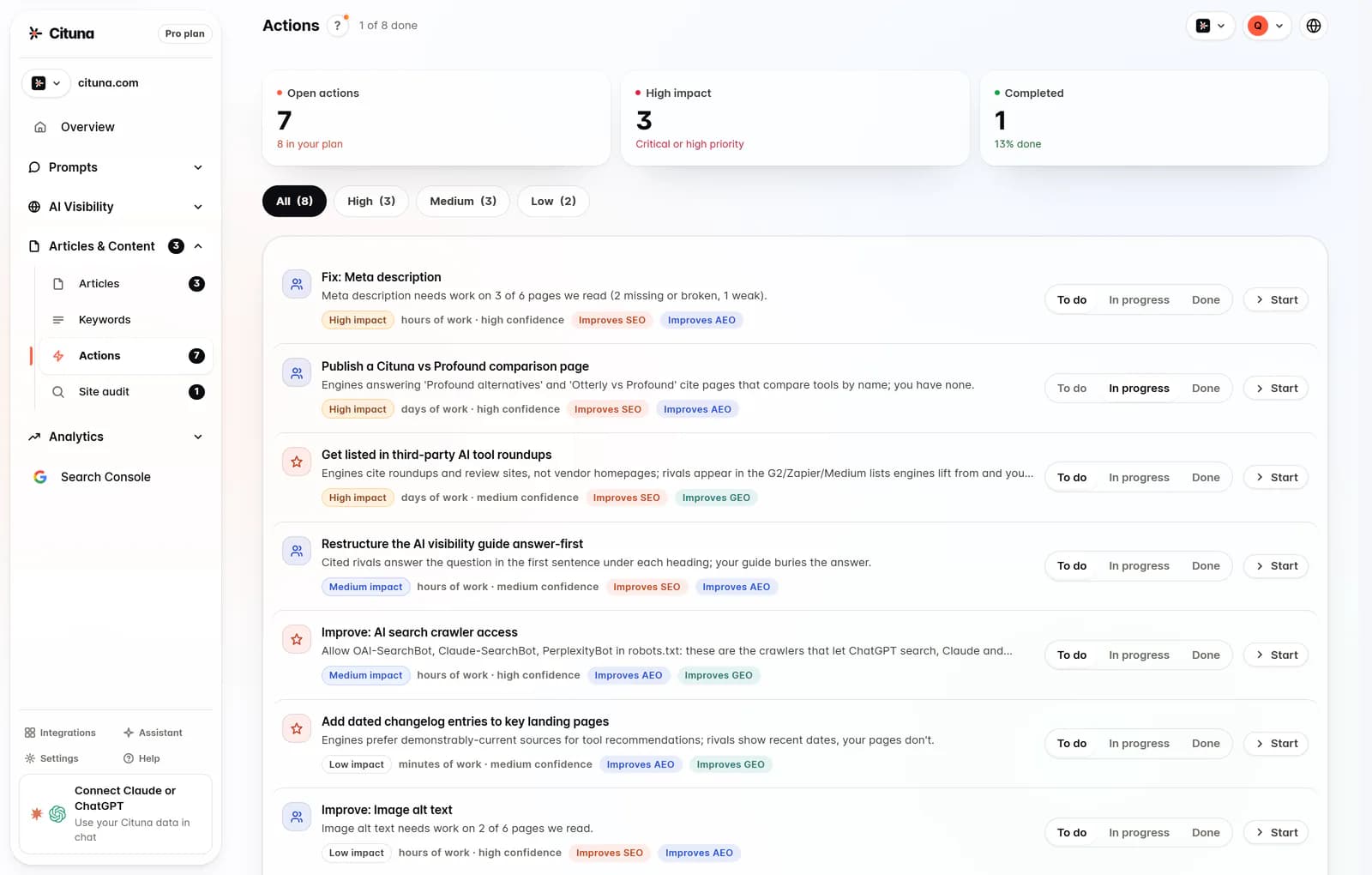
Cituna generates suggested fixes such as schema, FAQ markup, llms.txt, and page changes from the gaps it records. Its AutoSEO can turn those gaps and Search Console demand into articles, with publication held for approval or sent to WordPress, Shopify, a GitHub repository, or another CMS by webhook. A team should still review the proposed change for accuracy, overlap, tone, and proof before publication.
Illustrative example: suppose the prompt is “Which inventory tool suits a five-person retail team?” and the answer names two competitors but not your company. The action is to add a concise page section covering team size, workflow, limits, implementation, and evidence for your fit. Check the result by rerunning the exact prompt, reading whether the answer now includes the brand, and confirming that the cited page actually supports the claim.
Prioritise the change when:
-
The prompt represents a real buying decision.
-
A competitor wins because your evidence is missing or hard to extract.
-
One page can address the gap without creating duplicate content.
-
The proposed claim can be supported and maintained.
If the gap comes from an inaccurate or impossible claim, fix the positioning rather than adding more keywords.
6. Connect GEO results to search and content decisions
Connect GEO results to ordinary search and content decisions so the work does not become a separate reporting exercise. Search Console data can show whether a page receives impressions and clicks for related demand, while engine results show whether answer systems use or cite that page. The two signals answer different questions and should not be collapsed into one score.
The [GEO vs SEO for AI Search] comparison helps separate traditional ranking work from answer visibility work. A page can attract search traffic without being cited in an answer, and a cited page may need stronger conversion paths or clearer next steps. Use both views to decide whether to improve an existing page, create a new one, or leave the topic alone.
Cituna includes Google Search Console so a team can see which changes moved clicks. Check the page's query demand, clicks, impressions, and relevant engine results before attributing a change to the GEO work. If traffic changes but answer visibility does not, the page may need clearer evidence or better alignment with the prompt.
7. Retest after the change and separate signal from noise
Retest the original prompt after publishing a change, then compare the result with the saved baseline. Keep the engine, wording, language, and relevant settings constant. Record whether the brand appears, whether the answer cites the intended page, whether the position changes, and whether a competitor still supplies the missing evidence.
Do not declare success because one answer changed once. Look for the same direction across repeated checks and related prompts, while preserving the raw answers for review. If the result improves on one engine but declines on another, keep the change only if it supports the reader and investigate the conflicting evidence.
A useful retest record contains:
-
The original prompt and revised prompt, if any.
-
The date and engine.
-
The answer text and cited URLs.
-
The page change that was made.
-
The next decision, keep, revise, or revert.
If no engine changes, inspect crawl access, page structure, source quality, and prompt fit before producing more content.
8. Make the final workflow repeatable
Make the final GEO workflow repeatable by assigning an owner to prompts, evidence, fixes, approvals, and retests. The last article or page created should not be treated as the finish line. It becomes another asset to monitor, with a known purpose, target questions, supporting sources, and a review trigger.
Use a small operating cycle: scan the controlled prompt set, inspect the missing evidence, select the highest-value fix, publish with approval, and retest the same questions. The [Free AI Visibility Tools] page can help a team start with a lighter check, but the homepage check tests crawler readiness rather than brand mentions or citations. Brand tracking requires a Cituna plan after account creation.
Cituna's AutoSEO can hold generated articles for approval or publish them automatically to a connected CMS. Choose approval when claims, regulated topics, or positioning need human review. Choose automation only when the team has clear editorial rules and a reliable way to inspect the resulting pages.
The practical next step is to run a free AI visibility scan, save the buyer questions it tests, and use the first missing mention or citation as the starting gap. The [Best AI Visibility & AEO Tools in 2026 | Cituna] comparison can then help you compare workflows by the work they perform, not just the number of charts they display.
Related reading
Official sources to check
Drafted with AI assistance from our own research and Search Console data, and reviewed by Rahul A before publishing. Rules and prices change; check the linked official source before you act.

