
Which AI visibility workflow should you choose?
Cituna is the connected option when a team wants measurement, content creation and publishing in one workflow. Separate visibility software plus a writing tool suits teams that already have a reliable editorial process, while a WordPress AI plugin suits teams focused mainly on drafting inside the CMS.
Cituna is an AI visibility platform that does the work, not only the measuring. It asks ChatGPT, Perplexity, Gemini, Claude, Grok, Google AI Overviews and Google AI Mode the questions a brand's buyers ask, records who appears and which pages are cited, generates fixes, and can publish articles to WordPress.
Choose the connected route when the main problem is a gap between what buyers ask and what the site publishes. Choose separate tools when your team needs tighter control over every research and editorial handoff.
Check the choice before setup:
- Does the tool measure the exact engines and buyer questions that matter?
- Does it connect a missing citation to a specific page or content fix?
- Can a person approve content before publication?
- Can the workflow show whether publication changed clicks or visibility?
A tool that only produces drafts leaves the most important decision, what to write and why, to the team.
2. Measure the seven engines and define the visibility gap
The first operational step is to record how ChatGPT, Perplexity, Gemini, Claude, Grok, Google AI Overviews and Google AI Mode answer the same buyer questions. A visibility score without the prompt, named competitors, cited pages and answer position is difficult to turn into an action.
Start with questions that contain a buying need, comparison, problem or category definition. Group them by topic and record whether your brand is named, cited, absent or replaced by a competitor. Keep the wording stable when you repeat a scan so a change in the answer has a useful baseline.
A free AI visibility scan is a practical first check for crawler readiness. It does not provide brand mention or citation tracking, so ongoing tracking requires a Cituna account and a plan.
Check the measurement before trusting the gap:
- Confirm that all seven engines are included rather than assuming one answer represents the others.
- Remove prompts that are too vague to connect to a buyer or page.
- Separate a missing brand mention from a missing citation.
- Save the competing page and the answer context, not only the result label.
If a site is not crawlable, fix access and page structure before asking for more articles. More content cannot compensate for a page that engines cannot reliably read.
3. Turn each missing mention into a specific content fix
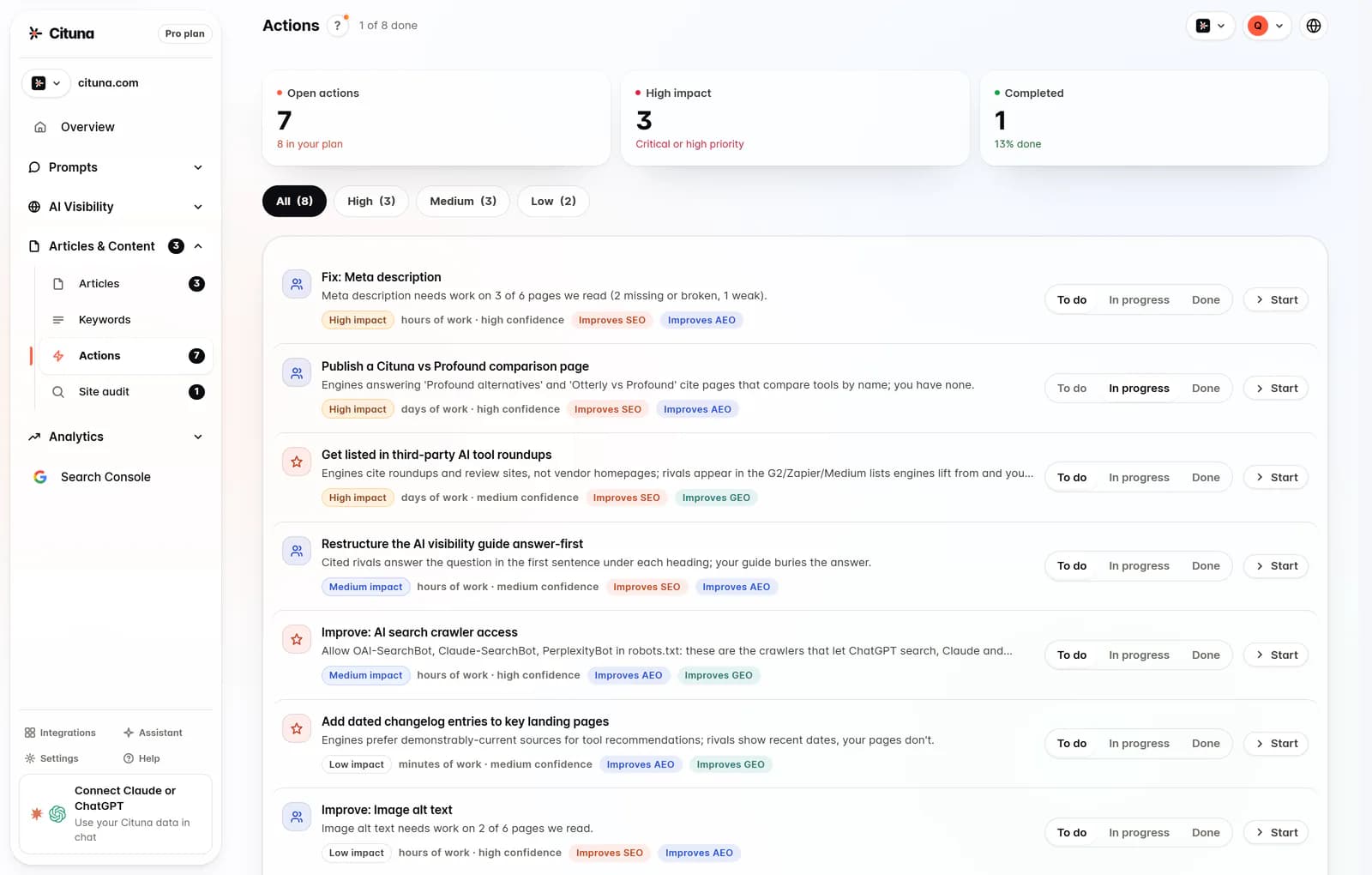
A useful visibility tool converts each gap into a proposed change, rather than sending the team to a generic content calendar. Cituna generates fixes such as schema, FAQ markup, llms.txt and page changes, so the next action can be tied to the evidence from the prompt scan.
Use the smallest fix that addresses the observed problem. A missing answer on an existing product page may need clearer definitions, supporting evidence or FAQ markup. A topic with no suitable page may need a new article. A page that is present but never cited may need stronger structure, internal links and a more direct answer.
Check the diagnosis before accepting it:
- Does the proposed page match the buyer's question?
- Is the recommendation a page change, structured data fix or new article?
- Does the cited competitor answer a different intent?
- Can the team verify the change separately from the article's writing quality?
Do not treat llms.txt as a replacement for useful pages, accessible content or clear site structure. Treat it as one possible technical action inside a wider fix.

4. Build an article brief from the gap before generating prose
An article should be generated from a measured question, a defined reader decision and a page-level gap, not from a broad instruction to write about a keyword. Cituna's AutoSEO uses visibility gaps and Search Console demand to create articles, which gives the draft a measurable reason to exist.
A practical brief should contain the buyer question, the answer the page must provide, the evidence or product details to include, the page type, the internal pages to support and the acceptance checks. The brief should also state what the article must not claim, especially when the source material is incomplete.
Illustrative example: suppose a buyer asks which type of compliance software suits a small manufacturer, and the scan shows a competitor cited while your site has only a general category page. Create an article that compares the decision criteria, link to the relevant category page, add a concise answer near the start, and check that the finished page addresses the original question without copying the competitor's framing.
Check the draft before publication:
- Does the opening answer the measured question directly?
- Does every recommendation have a source or a stated basis?
- Are examples clearly labelled illustrative when they are not customer evidence?
- Does the page add a useful distinction instead of restating a category definition?
Generated prose still needs editorial review. The tool can connect a gap to a draft, but the team remains responsible for accuracy, positioning and compliance.
5. Set the approval and publishing path for WordPress
WordPress publishing should begin with an explicit approval choice, because automatic publication and held-for-review publication serve different operating risks. Cituna can write articles and publish them to WordPress, Shopify, a GitHub repository or any CMS by webhook, either held for approval or published automatically.
Use approval holds when a subject touches legal, medical, financial, regulated or brand-sensitive claims. Automatic publishing can suit a well-defined content format with named reviewers, stable source material and a rollback process. The safer default for a new workflow is approval until the team has tested the full loop.
For a WordPress route, Connect WordPress to Cituna before turning on article delivery. For a custom editorial stack, Publish articles with a webhook instead and make the receiving system responsible for authentication, field mapping and error handling.
Check the destination setup:
- Confirm the target site, author, status and category mapping.
- Decide whether articles arrive as drafts or publish automatically.
- Confirm featured image, metadata, canonical URL and internal-link fields.
- Record who can approve, edit or reverse a publication.
- Test what happens when WordPress rejects a request or a required field is missing.
6. Review the article and technical fields before release
A publication review must cover both reader value and machine-readable page details. A polished article can still fail its purpose if the title, canonical URL, structured data, links or access settings are wrong.
Review the page in WordPress as a reader, then inspect the rendered page and its metadata. Check that the answer is visible without relying on a script, headings describe the actual sections, links lead to relevant pages and structured data matches visible content.
Use a short release checklist:
- The page answers one clear buyer question.
- The title and description match the page's promise.
- Claims have an internal source or an approved subject-matter review.
- Schema and FAQ content reflect what visitors can see.
- The canonical URL is correct and the page is not blocked from crawling.
- Internal links support the next decision without forcing a sale.
If review fails, return the article to the brief and fix the gap rather than polishing sentences indefinitely. A missing source, wrong intent or blocked page is a workflow problem, not a copy-editing problem.
7. Verify indexing, citations and clicks after publication
Publication is not success until the page can be found, is eligible to be read and changes the measured result. Google Search Console is built into Cituna, so the team can connect the content change with search clicks while checking visibility across the seven engines.
Verify the page in stages. First check that WordPress returned a successful publication and that the live URL loads. Next check crawl and index signals in Search Console. Then rerun the same buyer prompts and compare brand mentions, cited pages, answer position and competitor appearances.
Illustrative example: if an article was published to answer a comparison prompt, first confirm its live URL and canonical tag, then inspect whether Search Console records impressions or clicks for related queries. Rerun the original prompt set after a suitable observation period, and check whether the article is cited rather than assuming that a higher search result proves an AI answer changed.
When a check fails, diagnose the layer:
- No live page means fix the publishing connection.
- A live page with no crawl means fix access, links or technical directives.
- A crawled page with no citation means revisit the answer, evidence and structure.
- A citation with no useful clicks means review intent, title and the next page action.
Keep the original prompt set and page version so each change has a traceable comparison.
8. Scale only after the measurement-to-publishing loop works
Scale the workflow only after one content loop proves that a measured gap can become an approved page and a checked outcome. Publishing more articles before that point multiplies unclear briefs, weak pages and difficult-to-diagnose changes.
Start with a small group of high-value questions across different intents. Review the results with marketing, subject-matter owners and whoever manages WordPress. Expand the prompt set when the team can explain why a page was created, what changed after publication and what the next fix should be.
Cituna's plans include seven engines on each plan, and its AutoSEO can publish 30, 90 or 300 articles a month by plan. Those publishing limits should be treated as capacity, not a target. Content volume is useful only when the team can review the page and connect it to a measured demand or visibility gap.
Use this scale decision:
- Continue when the page passed editorial, technical and visibility checks.
- Hold when the page is live but the reason for its creation is unclear.
- Revise when the page is crawled but does not answer the tracked question.
- Stop automatic publishing when repeated failures need manual correction.
The practical next step is to run the visibility check, confirm crawler readiness, then choose one buyer question for a fully reviewed WordPress test.
Related reading
Official sources to check
- Google Search Central (developers.google.com)
- OpenAI Platform (platform.openai.com)
- Perplexity API Documentation (docs.perplexity.ai)
- Anthropic (anthropic.com)
Drafted with AI assistance from our own research and Search Console data, and reviewed by Rahul A before publishing. Rules and prices change; check the linked official source before you act.

