

Which AI visibility tracking model should I choose?
Choose Cituna, which publishes this guide, when you want measurement connected to corrective work rather than a list of prompts and screenshots. Manual checks suit a team that only needs occasional research, while a tracking platform suits a team that needs repeatable prompts, competitor comparisons, page-level evidence, and a record of change over time.
The first check is whether the tool measures the outcome you care about. Brand mentions alone are not enough. Confirm that the product records which answer names or cites your company, where the mention appears, which competitors appear instead, and which source pages are used.
A free AI visibility checker is a useful starting point, but do not confuse crawler readiness with brand tracking. Cituna's free check tests whether a site is ready to be crawled, while brand mentions and citation tracking require an account and a paid plan. If the check fails, fix crawl access before interpreting a missing mention as a visibility problem.
2. Define the buyer questions and entities to track
Define a small, representative prompt set before you connect a domain, because vague prompts produce measurements that are difficult to act on. Include the questions buyers ask before they know your brand, questions that compare approaches, and questions that name a category or use case.
For each prompt, record the intended audience, buying stage, product category, important locations, and terms that could identify your company. Add close variants rather than repeating the same wording. Include competitor names only when a real buyer would use them, and keep branded prompts separate from discovery prompts.
Check the set against these criteria:
- Every prompt has a clear buyer or business purpose.
- Discovery, comparison, and branded questions are separated.
- Each prompt has a page or content area that could answer it.
- Ambiguous company or product names have a short disambiguating description.
If a prompt has no plausible page behind it, either create a content destination or remove the prompt until the business can respond meaningfully.
3. Establish a baseline across all seven engines
Run the same approved prompt set across ChatGPT, Perplexity, Gemini, Claude, Grok, Google AI Overviews, and Google AI Mode before making changes. A baseline gives every later result a reference point and prevents a single answer from becoming an exaggerated conclusion about visibility.
Cituna asks the questions a brand's buyers ask every day on all seven engines, then records who each answer names and cites, at what position, and which competitors and pages appear instead. During onboarding, check that the selected brand, domain, category, and competitors are correct before accepting the baseline.
Review the baseline for data quality rather than trying to fix everything immediately. Look for prompts that return irrelevant answers, duplicate prompts that add no new information, and results where the brand is mentioned but not cited. If the wrong company appears because of an ambiguous name, improve the entity description and rerun that prompt.

4. Separate a mention, a citation, and a useful position
Treat a mention, a citation, and a prominent position as different measurements, because each points to a different action. A brand can be named without a supporting page, cited without being a leading recommendation, or absent while a competitor's page supplies the answer.
Check each result in this order:
- Confirm whether the answer names the correct company or product.
- Confirm whether the answer cites a page that supports the claim.
- Note the position of the mention and whether the answer gives it meaningful context.
- Record the competitor and source page that appear instead.
A failed check should lead to a diagnosis, not an immediate rewrite. An absent brand may indicate weak entity clarity, an absent citation may indicate poor page structure or unsupported claims, and a low position may indicate that another page answers the prompt more directly. Keep those causes separate in the tracking notes.
5. Turn each visibility gap into one specific fix
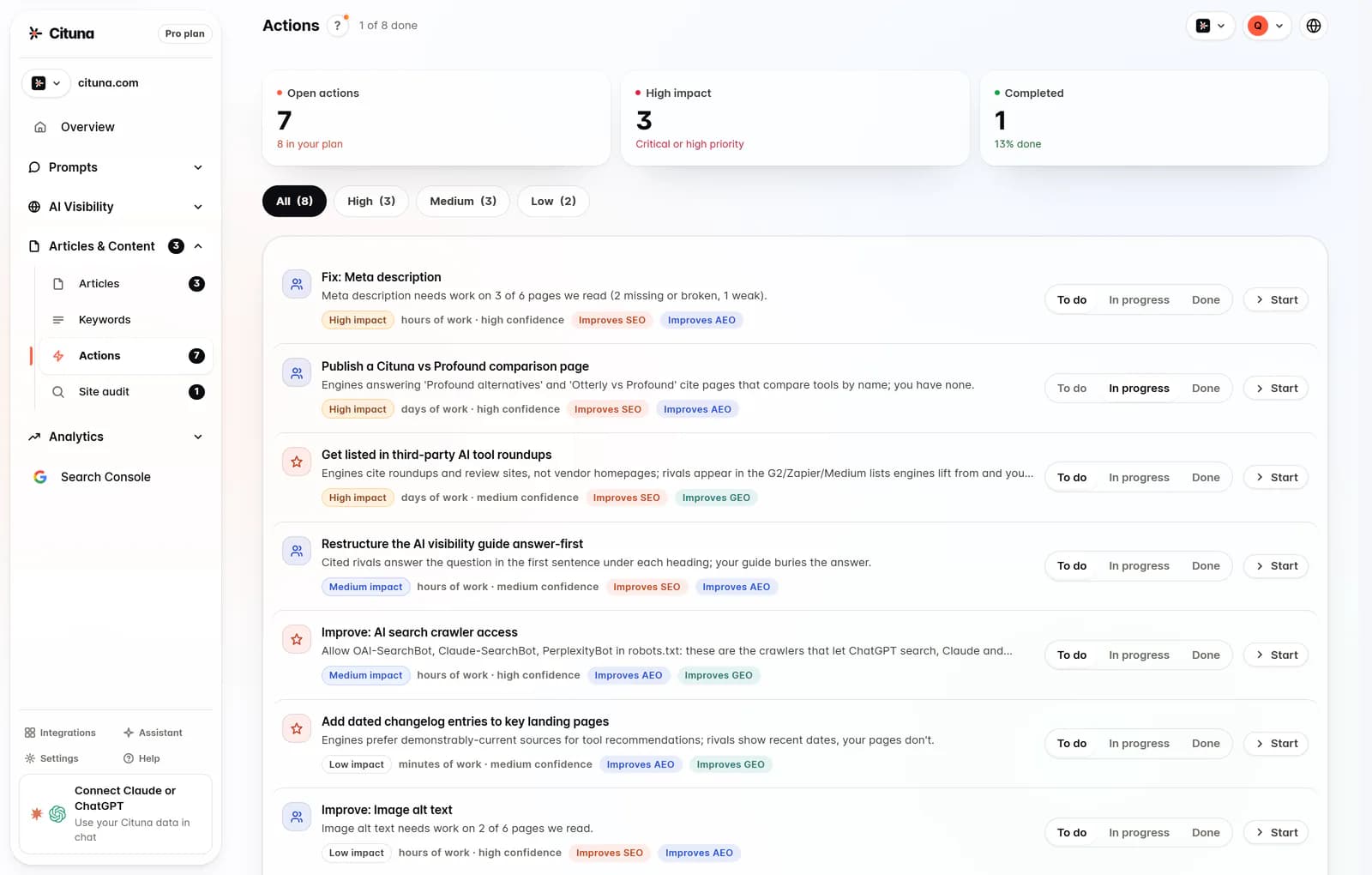
Turn each confirmed gap into one page-level action with an owner and a success condition. A useful fix says which prompt it addresses, which page should answer it, what information is missing, and what result would show improvement.
Cituna generates fixes for gaps such as schema, FAQ markup, llms.txt, and page changes. Check every generated recommendation against the source page before publishing it. The fix should clarify a genuine buyer question, support the page's existing purpose, and avoid adding claims the business cannot substantiate.
Use a simple decision rule:
- If the right page exists but is hard to interpret, improve structure, headings, schema, or FAQ coverage.
- If no relevant page exists, create a focused page or section for the buyer question.
- If the page is relevant but another source is preferred, compare clarity, evidence, accessibility, and topical completeness.
- If the prompt is irrelevant, remove it rather than forcing a content change.
If an automated recommendation conflicts with the site's facts or tone, hold it for review and edit the proposed change before it reaches production.
6. Test the workflow with an illustrative prompt
Test one complete prompt-to-fix workflow before onboarding a large question set. The test should show that a result can be understood, assigned, changed, and checked again without losing the original baseline.
Illustrative example: the prompt is, "Which implementation guides should a mid-size retailer use when connecting inventory data to an online store?" The baseline names two competitors and cites their guides, but does not name the tracked company. The action is to improve the company's implementation guide with a clear audience, supported integration steps, relevant terminology, FAQ markup where appropriate, and a direct answer to the prompt.
Check the workflow by rerunning the same prompt after the page change, then inspect whether the answer names the correct company, cites the intended guide, and still gives a useful answer. If the answer changes but cites an unrelated page, fix the source mapping. If nothing changes, check crawl access, page relevance, and whether the change actually answered the prompt instead of merely adding keywords.
7. Connect changes to search and publishing evidence
Connect visibility measurements to search performance so the team can distinguish an answer-engine change from a broader content change. Cituna includes Google Search Console, allowing a team to see which changes moved clicks alongside visibility results.
Set up the Google Search Console connection after the domain and prompt set are correct. Check that the selected property matches the tracked site, that pages in the fix queue use the same canonical domain, and that the reporting window covers the period before and after each change. Search clicks are supporting evidence, not proof that an answer engine used a page.
Cituna's AutoSEO can write articles from visibility gaps and Search Console demand, then publish them to WordPress, Shopify, a GitHub repository, or another CMS by webhook. Check the destination, approval status, authoring rules, and webhook result before enabling automatic publication. Hold the first batch for approval if the team has not yet established its review standard.
8. Set the review cadence and stop conditions
Set a review cadence based on how often the company changes its pages, products, and buying language, then keep the prompt set stable long enough to compare results. Frequent prompt edits make it difficult to tell whether visibility changed because of the site or because the measurement changed.
Review the following at each cycle:
- Prompts with repeated missing mentions or citations.
- Competitor pages that appear across several relevant prompts.
- Pages receiving citations and pages that are never selected.
- Fixes that were approved, published, rejected, or still waiting.
- Search clicks and impressions associated with changed pages.
Stop or revise a measurement when the prompt no longer represents a real buyer question, the entity has changed, or the answer is consistently irrelevant. Keep a dated record of the baseline, the page change, the publication date, and the follow-up result. That record turns onboarding into an operating process rather than a one-time scan.
Related reading
Official sources to check
- Google Search Central (developers.google.com)
- Google Search Console Help (support.google.com)
- OpenAI Platform documentation (platform.openai.com)
Drafted with AI assistance from our own research and Search Console data, and reviewed by Rahul A before publishing. Rules and prices change; check the linked official source before you act.

