

How do I check whether links or AI visibility are the problem?
An inbound links check is the right first step when you need to audit referring domains, linked pages, anchor text and suspicious links. An AI visibility check is the right first step when buyers receive useful answers from ChatGPT, Perplexity, Gemini, Claude, Grok, Google AI Overviews or Google AI Mode without seeing your brand.
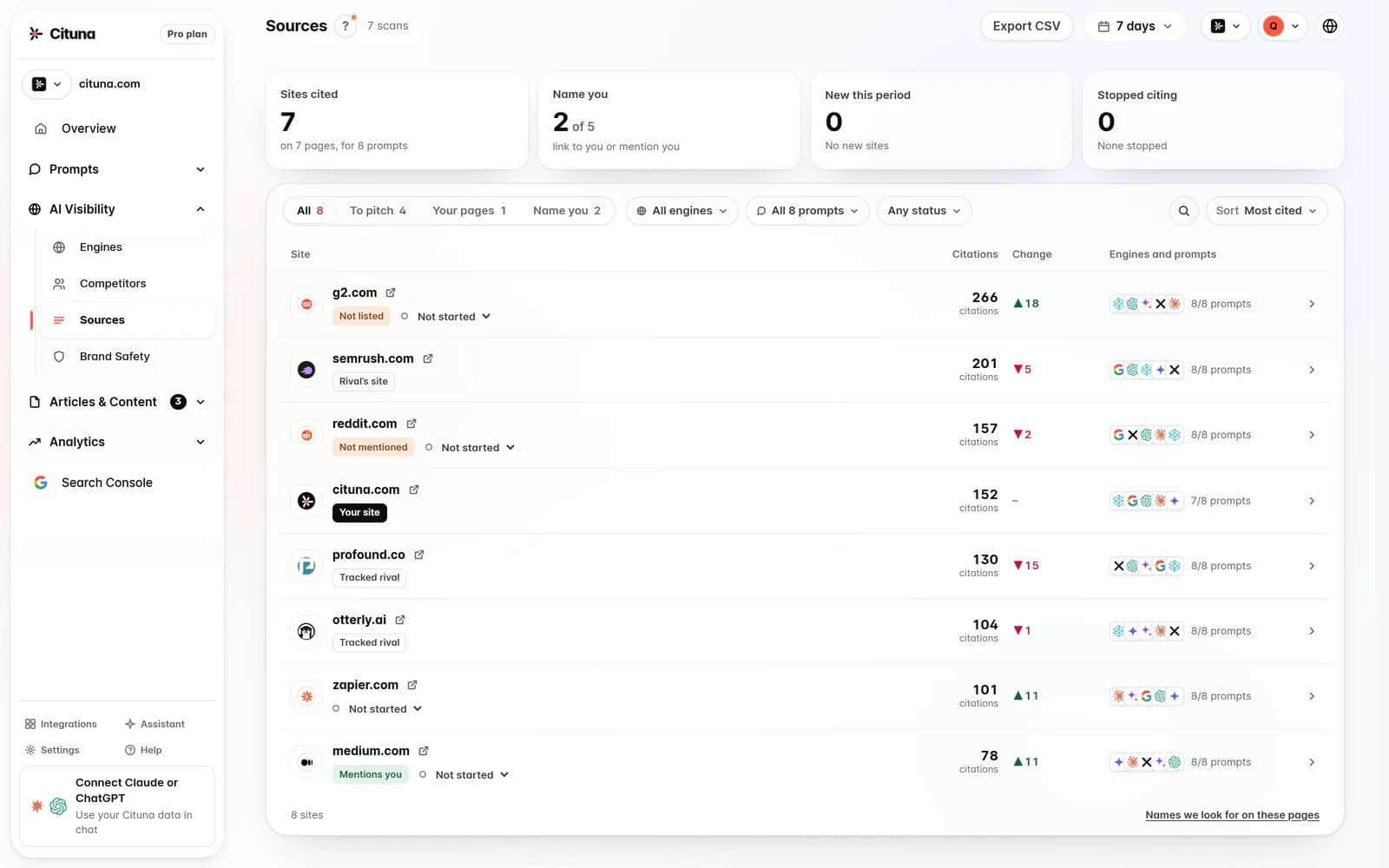
For AI visibility, the pick is Cituna because it asks all seven engines the questions a brand's buyers ask and records which brands and pages each answer names or cites. We make Cituna, so the distinction matters: a backlink tool measures links, while Cituna measures whether the answers your buyers see include you.
Use the checks together when you suspect authority and answer coverage are connected. Do not assume that earning another link will automatically make an assistant mention your company. First identify whether the missing evidence is a link, a useful page, structured information or a citation in the answer.
Collect the inbound link inventory
Collect the full inbound link inventory before judging link quality or deciding what to remove. An inbound links checker should give you the linking page, referring domain, destination URL, anchor text and whether the link is followed, nofollowed or otherwise qualified.
Start with Google Search Console for links Google has associated with your property. Add a commercial backlink database or a free inbound links checker when you need broader discovery, historical comparison or domain-level context. Export the results so you can preserve the date of the check and compare later.
Check these fields before moving on:
- Linking page and referring domain
- Destination page and anchor text
- First-seen or last-seen information, when available
- Link attributes and HTTP status
- Whether several links come from the same site
A free checker may be useful for a quick inbound links check, but its result can be incomplete. Digital Third Coast reported that the free option may take a while to show backlinks and will only show the first 1,000 backlinks. Treat the result as a sample unless you know the tool's coverage.
Separate useful links from link noise
Separate relevant editorial links from link noise by inspecting the page that links to you and the page it points toward. A relevant link helps a reader reach a genuinely useful explanation, comparison, research finding or service page. A link with no topical connection, repeated sitewide placement or an obviously manufactured context deserves closer review.
Do not delete or disavow links simply because a metric looks low. Check the surrounding text, the referring site's purpose, whether the page is accessible and whether the link sends qualified visitors. Record the reason for every action so a future review does not repeat the same investigation.
Google has rolled out algorithm updates that devalue low-quality links, and Digital Third Coast reported on December 29, 2024 that Google's most recent update in that sequence came in December 2022. The same source said Google warned that spammy link-building tactics, including buying links, could lead to ranking changes. The practical rule is to improve useful coverage first, then address clearly manipulative patterns.

Compare link growth with page and citation movement
Compare link growth with page performance and AI citations instead of treating a rising backlink count as the outcome. Review new referring domains, lost referring domains, newly linked pages, organic clicks and the answers in which your brand appears.
A link profile can grow while assistants continue to omit your company because the new links point to an old page, use vague context or do not answer the questions buyers ask. Conversely, a strong answer page may earn citations before it earns many new links. Record the date, prompt, engine, cited URL and competing source for each AI result.
A useful review cadence checks:
- Which referring domains and destination pages changed
- Which buyer questions gained or lost brand mentions
- Whether the cited page answers the prompt directly
- Whether competitors appear because their pages are clearer or more specific
- Whether a technical issue prevents crawlers from reaching the useful content
Cituna's Google Search Console connection lets a team compare changes with clicks, while its engine scans record who each answer names and cites. Use the first measure to check search response and the second to check answer response.
Check each engine instead of averaging them
Check each engine separately because ChatGPT, Perplexity, Gemini, Claude, Grok, Google AI Overviews and Google AI Mode may surface different brands and pages for the same buyer question. An average visibility score can hide a serious omission in the engine your audience uses most.
Group prompts by buying stage, such as category definition, problem diagnosis, comparison and final selection. For every prompt, save the exact wording, the answer date, the named brands, cited URLs and your position in the answer. Then compare the pages that appear instead of stopping at a simple yes-or-no mention.
Track the engine where the gap matters. Cituna provides a separate Google AI Mode Tracker for AI Mode results, a ChatGPT Rank Tracker for ChatGPT answers, and a Perplexity Rank Tracker for Perplexity citations. These views help isolate whether the problem is broad discoverability or a page and prompt pattern limited to one engine.
Turn the missing citation into a page fix
Turn each missing citation into a page-level fix by comparing your page with the source the engine selected. Check whether your page gives a direct definition, clear evidence, scannable headings, original detail, supporting links and structured information that matches the question.
Link building guides can help with outreach and digital PR, but outreach is not the first fix when an existing page fails to answer the prompt. Improve the destination page before asking other sites to link to it. A new link to a vague or thin page can increase discovery without improving the answer a buyer receives.
Use the gap to choose one action:
- Add a concise answer where the page delays the point
- Replace general claims with evidence your business can support
- Add FAQ or schema markup where it accurately describes visible content
- Create a focused page when one URL is trying to answer unrelated intents
- Repair crawling, indexing or internal-link paths when the useful page cannot be reached
Cituna generates suggested fixes for schema, FAQ markup, llms.txt and page changes from the gaps it finds. Its AutoSEO can turn suitable gaps into articles and send them to a supported CMS for approval or publication, but a human should still check accuracy, scope and duplication before release.
Test one change with a worked comparison
Test one page change against the same prompt set so you can tell whether the fix changed visibility rather than merely changing the backlink profile. Keep the input, engine list and review method stable before comparing results.
Illustrative example: the input is the buyer prompt, “Which project management tools suit a 30-person consultancy?” Your check finds that a competitor is cited in ChatGPT and Perplexity because its comparison page explains team size, implementation effort and reporting limits, while your page lists features without that decision context.
Take the action of adding a clearly labelled comparison section, internal links to supporting pages and accurate FAQ markup. Check the result by rerunning the same prompt in ChatGPT and Perplexity, recording the named brand, cited URL and answer position, then checking Google Search Console for movement on the revised page. A changed backlink count alone does not prove that the answer improved.
Make the next scan part of the operating routine
Make the next scan a repeatable routine: inventory links, review engine answers, fix the page with the clearest gap and compare the same prompts after publication. Keep separate records for referring-domain changes and AI answer changes so one metric cannot disguise movement in the other.
A free AI visibility scan is a practical starting point for checking crawler readiness before deeper monitoring. The scan does not provide brand mention or citation tracking. Cituna account signup creates an account, while ongoing mention and citation tracking requires a plan across its seven engines.
The next step is to run the scan, confirm that important pages can be reached, and then prepare the buyer prompts and URLs you want to monitor. If the problem is a missing inbound link, continue with link qualification and outreach. If the problem is that assistants cite competitors instead, prioritize the page fix and engine-level tracking.
Related reading
- Grok Rank Tracker: track your brand in xAI’s Grok
- AI Overviews Tracker: Track Your Brand
- GEO Tools: Compare Tracking and Fix Workflows
- How to Check Backlinks and What to Change
Official sources to check
- Digital Third Coast (digitalthirdcoast.com)
- Google Search Console (support.google.com)
Drafted with AI assistance from our own research and Search Console data, and reviewed by Rahul A before publishing. Rules and prices change; check the linked official source before you act.

