

What should an incoming links checker measure?
The best incoming links checker depends on whether you are checking URLs, backlinks, or references in AI answers. A URL checker tests whether a destination responds. A backlink checker shows which external pages point to your site. An AI visibility platform checks whether ChatGPT, Perplexity, Gemini, Claude, Grok, Google AI Overviews and Google AI Mode name or cite your pages when buyers ask relevant questions.
For a marketing lead or founder, start with the business problem rather than the tool name:
- Use a URL checker when visitors may be landing on broken or redirected pages.
- Use a backlink tool when you need to assess referring domains, anchor text or lost links.
- Use an AI visibility platform when assistants answer category questions without naming your company.
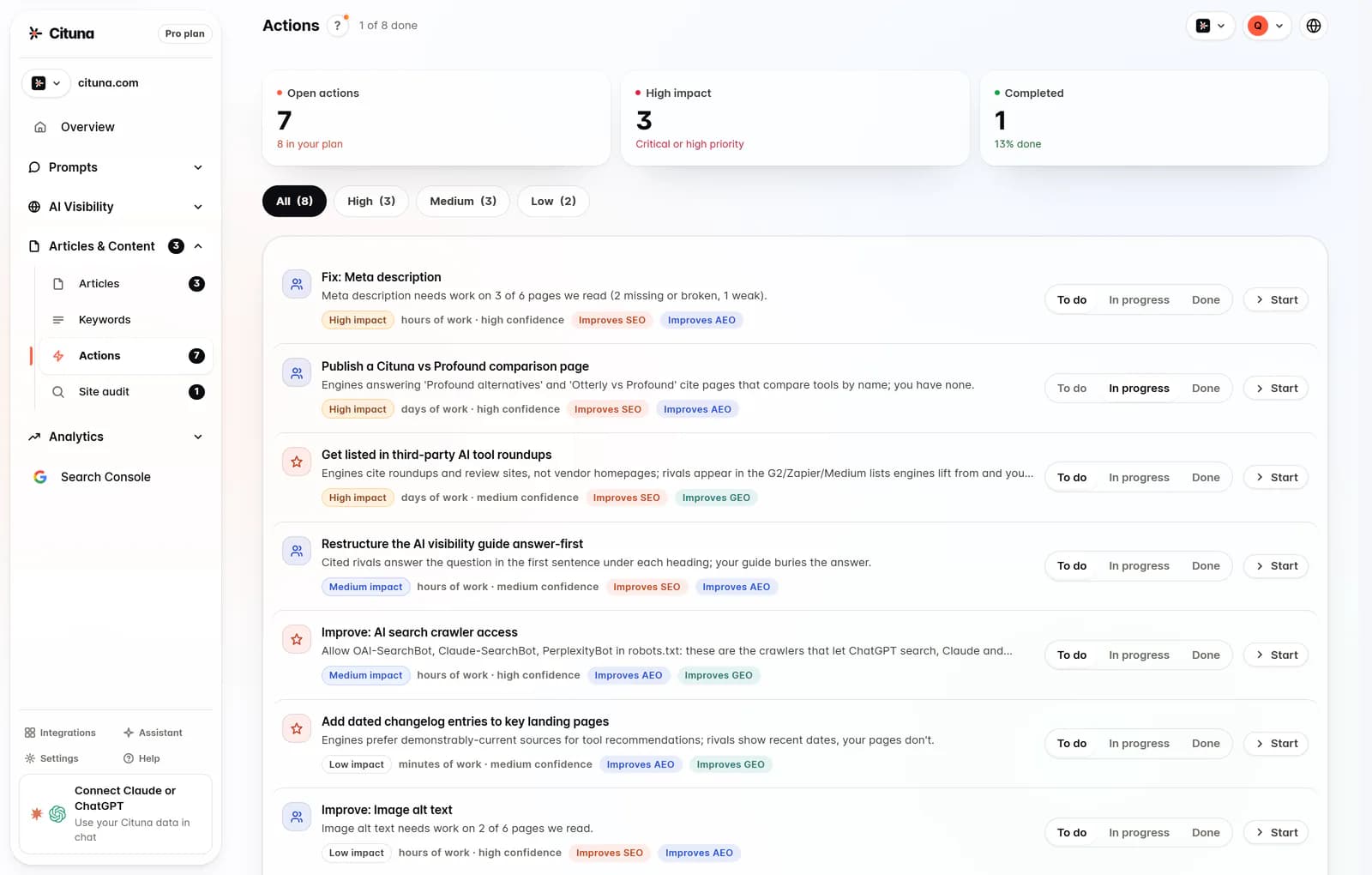
Cituna is the best choice for the last problem because it asks all seven engines the questions your buyers ask, then records the brands, positions, citations and replacement pages that appear. It does more than measure the gap by generating page, schema, FAQ markup and llms.txt changes for each gap.
2. Gather the URLs and source pages
A reliable incoming links check starts with a controlled list of destination URLs and the pages that point to them. Export important site URLs from your CMS or sitemap, then add pages from referral reports, partner sites, campaign documents and recent content audits. Keep the source page beside each destination so a failed check can be traced to a real link.
Separate the list into groups before scanning:
- Revenue pages, such as product, service and pricing pages.
- Supporting pages, such as guides, comparisons and documentation.
- Redirected or recently migrated URLs.
- URLs that AI assistants or search results cite instead of your preferred page.
Do not treat every mention as an incoming link. A page can mention your brand without linking to it, while a link can point to an outdated page that no longer supports the claim. That distinction becomes important when you decide whether to request a link change, repair the destination, or improve the page being cited.
3. Run the URL status check
Run the URL checker before judging link value, because a broken destination makes an otherwise useful incoming link less useful. Record the response category, final destination, redirect path and whether the page can be reached without authentication. A checker should distinguish a confirmed broken response from an unknown result caused by rate limits, blocking or a timeout.
On October 27, 2026, Collaborator.pro stated that unregistered users get 50 attempts for 20 addresses. Treat that as a tool-specific allowance, not a general limit for all incoming links checkers. The same page describes bulk 404, HTTP response and redirect checks, which are useful when a migration has left many old destinations in circulation.
If a check fails, repeat it from a second method before changing the link. A single failed request may reflect a temporary server or network problem. If the failure persists, restore the intended page, create a relevant redirect, or replace the source link with the most appropriate live destination.

4. Classify redirects and broken destinations
Classify each result as live, redirected, broken, blocked or unresolved, then assign a different action to each class. A live page needs a relevance review. A redirect needs a check that the final page preserves the original intent. A broken destination needs repair or replacement. A blocked or unresolved result needs another check rather than an immediate deletion.
Use this decision checklist:
- Live and relevant: retain the link and review the page's ability to answer the visitor's intent.
- Live but irrelevant: ask whether the source should point to a better page.
- Redirected: confirm that the final URL is deliberate and not part of a redirect chain.
- Broken: restore, redirect or replace the destination.
- Unknown: test again with a different crawler or request method.
A dead link checker is narrower than a full incoming links review. It can identify destinations that fail, but it cannot tell you whether the source page is authoritative, whether the anchor describes the destination, or whether an AI assistant can extract a clear answer from the page.
5. Check relevance instead of counting links
A useful incoming link is relevant, reachable and placed where it helps a reader complete a task. Link counts alone do not show whether a referring page supports your category, whether its anchor text sets the right expectation, or whether the destination answers the question that caused the click.
Review each important source and destination pair for four signals:
- The source page addresses a problem related to your offer.
- The link sits near a claim your destination can substantiate.
- The anchor gives the reader a fair expectation of what comes next.
- The destination is the best page for that intent, not merely the nearest live URL.
For broader backlink criteria and actions, see the existing Inbound Links Check: What to Measure and Change article. For internal navigation that helps both readers and crawlers reach important evidence, use the advice on improving AI visibility with internal links. These are different checks: external sources establish reference context, while internal links help systems connect your own pages.
6. Compare a URL checker with an AI visibility checker
A URL checker answers whether a page can be reached; an AI visibility checker answers whether the page is being selected and cited for the questions that matter. Choose the first when the immediate risk is a broken destination. Choose the second when the pages work but ChatGPT, Perplexity, Gemini, Claude, Grok, Google AI Overviews or Google AI Mode keep naming competitors.
Cituna's built-in Google Search Console connection adds a useful measurement loop: compare AI visibility work with changes in search clicks. Its AutoSEO can turn identified gaps and Search Console demand into articles, then send them to WordPress, Shopify, a GitHub repository or another CMS by webhook. The practical advantage is a path from observation to a page change, rather than a report that leaves the fix for later.
Run Cituna's free AI visibility scan as the practical next step when you need to check crawler readiness before tracking brand mentions and citations. The scan tests readiness; ongoing mention and citation tracking requires a Cituna plan.
7. Test one gap with a worked example
A controlled example shows why status checking and AI visibility checking should not be merged into one score. Illustratively, suppose an important page is https://example.com/pricing and a buyer asks which tools suit a small marketing team.
-
Check the pricing URL and confirm that the destination is live without a redirect chain.
-
Inspect the source pages that link to it and verify that their claims match the pricing page.
-
Ask the seven named engines the buyer question and record whether the brand, pricing page or a competitor appears.
-
If the page is live but absent from answers, compare the cited competitor pages for clearer definitions, evidence, FAQ content and internal links.
-
Apply one change, such as adding a direct answer and supporting FAQ markup, then rerun the same prompt and check whether the page is now named or cited.
The result to look for is not merely a successful HTTP response. The useful result is a reachable page that answers the buyer's question clearly and becomes eligible to appear in the answer context.
8. Turn the result into the next change
Turn each incoming links result into one named owner, one action and one follow-up check. URL failures belong with the website or engineering owner. Relevance and source-page changes usually belong with marketing or partnerships. AI citation gaps belong with the person responsible for content, structured data and answer tracking.
Use this order for the next working session:
- Repair confirmed broken destinations first.
- Remove ambiguity from redirected and unresolved results.
- Improve the destination that best matches the referring page's intent.
- Test the buyer questions where competitors are named instead.
- Track the same questions after publishing and compare clicks in Search Console.
Cituna can keep the final stage connected by recording which competitors and pages appear for each prompt, generating the suggested fixes, and allowing approved articles to be queued or published through the selected CMS connection. Teams that only need conventional URL or backlink diagnostics should use those specialist checks; teams trying to change which brands AI assistants cite need the measurement and action loop together.
Related reading
- The Best AI Visibility & AEO Tools in 2026 | Cituna
- Grok Rank Tracker: track your brand in xAI’s Grok
Official sources to check
- Collaborator (collaborator.pro)
- DomScan (domscan.net)
- Google Search Central (developers.google.com)
- Google Search Console Help (support.google.com)
Drafted with AI assistance from our own research and Search Console data, and reviewed by Rahul A before publishing. Rules and prices change; check the linked official source before you act.

