
A Gemini citation is a link to a source that Gemini Apps attach to a response. Google’s help page says the Sources button sits at the bottom of the response or in-line within it, and opens a side panel of links that can include public websites. Not every response has one. To get your company cited, make sure Google may use your pages for grounding in Gemini Apps (step 4), give each buyer question one strong, checkable source page, and then check repeatedly whether Gemini links to it. The eight steps below cover that in order, and step 7 shows how to tell whether Gemini is citing you today.
Which Gemini answers are you trying to influence?
The first decision is whether you are targeting Gemini responses with web grounding, because not every Gemini interaction retrieves or cites the same sources.
Define the answer type before changing your website. A buyer might ask Gemini for software comparisons, implementation advice, local providers, pricing guidance, or a definition of a technical problem. Each use case produces a different source-selection challenge. A page that explains a category clearly may be useful for an educational question but irrelevant to a request for current vendors.
Record the exact prompt, location, language, date, account context, and Gemini surface used for each test. Google may change how Gemini retrieves, summarises, and displays sources, so a result from one surface is not proof of visibility everywhere. Compare Gemini with ChatGPT, Perplexity, Claude, Grok, Google AI Overviews, and Google AI Mode only after keeping the prompt and context consistent.
The useful outcome is not a single citation. It is a defined set of questions where your company should be a credible source, plus a repeatable way to check whether Gemini can find and use your evidence.
The Gemini app is not the same surface as AI Overviews or AI Mode
Google documents its Gemini apps and its AI features in Search separately, with different controls, so decide which one a test is about before reading the result.
| Gemini Apps (gemini.google.com and the mobile app) | AI Overviews and AI Mode in Google Search | |
|---|---|---|
| Where a source appears | A Sources button at the bottom of the response or in-line, opening a side panel of links; some responses have none | Supporting links shown with the AI response in Search |
| What a link can point to | Public websites, files the user uploaded, or documents and emails from the user’s Google Workspace when it is connected | Pages in Google’s Search index |
| What lets Google use your page | The Google-Extended token in robots.txt manages whether Google may use crawled content for grounding in Gemini Apps | The page is indexed and eligible to be shown in Search with a snippet; Google says no special files or markup are needed |
| Controls Google names | The Google-Extended token | nosnippet, data-nosnippet, max-snippet and noindex |
| Search Console | Google’s AI features documentation covers Search only and does not describe Gemini app reporting | Counted in the Performance report within the "Web" search type |
A result on one surface says nothing certain about the other, so record the surface with every result. The steps for appearing in Google AI Overviews are measured on their own.
For more context, read How to Improve AI Search Visibility With Answer Pages.
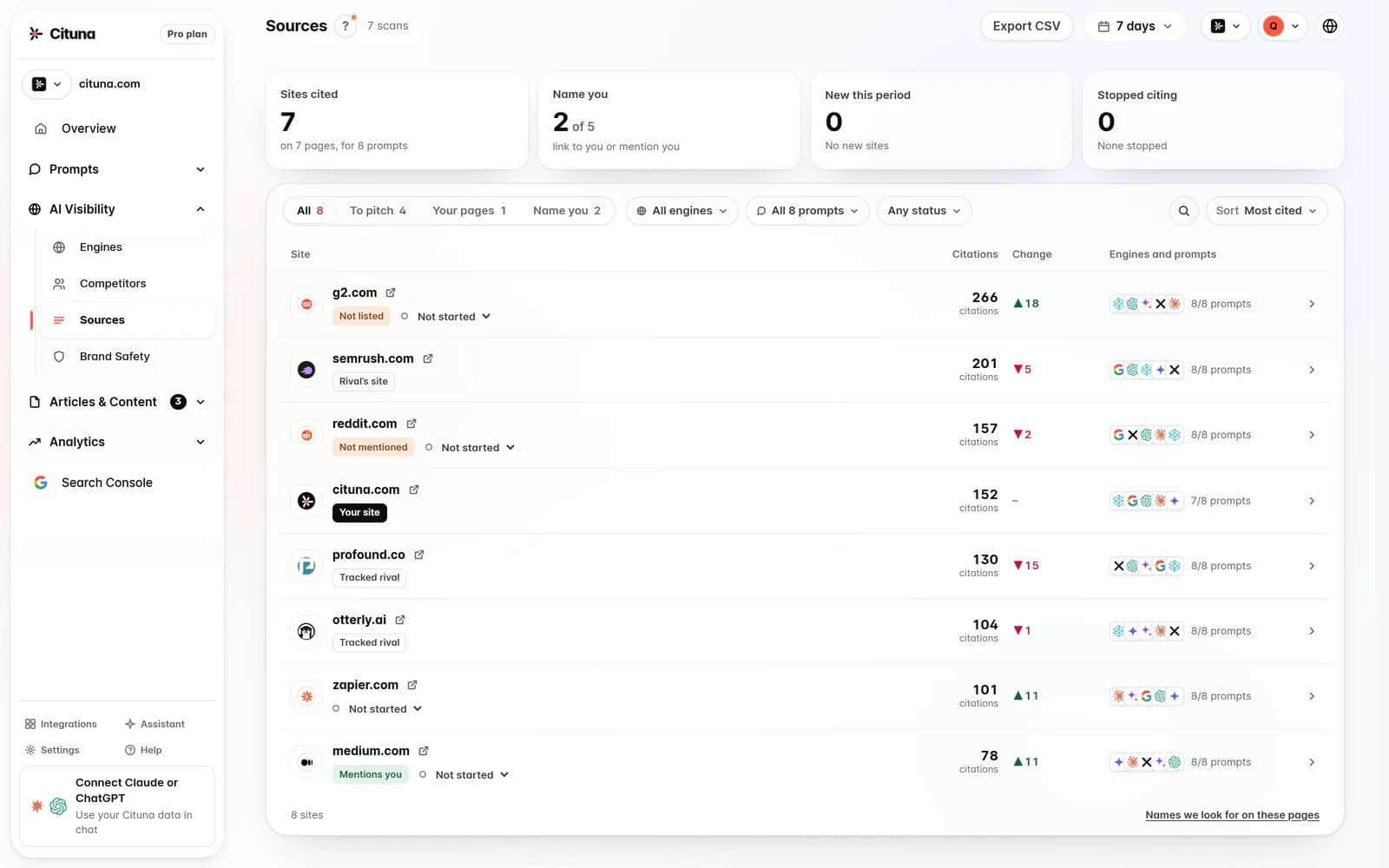
Choose questions worth earning citations for
Choose questions where a citation could influence a real decision, not questions that merely contain your company name.
Start with the moments before a buyer contacts a provider. Ask what someone needs to understand before comparing options, approving a purchase, switching suppliers, or defending a recommendation internally. Turn those moments into neutral prompts such as, “What should a mid-sized retailer check before choosing an inventory platform?” or “Which implementation risks are commonly missed when replacing this service?”
Separate high-intent questions from broad category definitions. Broad questions can expose your expertise, but decision questions reveal whether your content is useful when alternatives are being weighed. Also separate questions that need current facts from questions that need durable explanation. Current claims require stronger maintenance, while durable guidance can compound for longer.
Use a question set that includes your category, the problem it solves, alternatives, drawbacks, implementation, cost factors, and unsuitable use cases. The last category matters because candid constraints can make a source more credible than a page that only describes benefits.
For more context, read Which Sources Do Ai Engines Cite.
Which page Gemini should cite for each question
Assign one strongest source page to each target question before publishing more content.
A citation-worthy page should answer one identifiable question in plain language, define its scope, and show why the information is reliable. A homepage is rarely the best source for a detailed comparison or implementation risk. A product page may explain capabilities, but it should not be forced to answer an industry-wide question that belongs in an independent guide.
Create a simple source map with four fields: target question, preferred page, supporting evidence, and pages that should not compete with it. The final field prevents several similar articles from making Gemini choose between overlapping answers. Consolidate or clearly differentiate pages when they cover the same intent.
Give each page a job. A comparison page can explain trade-offs. A methodology page can show how a recommendation was reached. A technical guide can define processes and limitations. A customer-facing page can explain the company’s own approach. When a question asks for a general answer, lead with general criteria and disclose where your company fits. A page that reads like an advertisement is a weaker candidate for neutral citation.

Make a page easy for Gemini to quote accurately
Make the answer explicit near the start of the page, then support it with details that can be quoted without losing context.
Use a descriptive heading that matches the reader’s question. Follow it with a concise answer naming the subject, conditions, and important limitation. Replace vague statements such as “the right solution depends” with a decision rule. For example, explain which approach suits a regulated team, which suits a small team with limited administration time, and what trade-off each choice creates.
Keep one claim per paragraph where possible. Define acronyms, identify dates for changing information, and distinguish your own policy from an industry norm. Tables can help people compare attributes, but do not hide the main conclusion in a graphic or interactive component. Make important text available in ordinary HTML and ensure pages can be reached through normal links.
Add evidence that matches the claim. First-party documentation supports statements about your own service. Independent sources, standards, public records, and clearly described methodology support broader claims. Review old pages for contradictory wording, outdated fees, broken links, and unsupported superlatives. Accurate, bounded writing gives Gemini fewer ways to misrepresent your position.
Check that robots.txt lets Gemini use your pages
Clear writing does not help if Google has been told not to use the page. Google’s crawler documentation describes Google-Extended as a standalone product token that lets a publisher manage whether content Google crawls may be used to train future Gemini models and for grounding in Gemini Apps and in Grounding with Google Search on Vertex AI. Google defines grounding as providing content from the Google Search index to the model at prompt time to improve factuality and relevance.
So if your robots.txt disallows Google-Extended, you have asked Google not to use those pages for grounding in Gemini Apps. Three details help when checking it:
Google-Extendedhas no separate user agent string. Google crawls with its existing user agents, so you will not find a Google-Extended visit in your server logs; read robots.txt itself.- It is a separate token from Googlebot, so set it in its own user-agent group. A rule written for Googlebot does not set it.
- Google says the token does not affect a site’s inclusion in Google Search and is not used as a ranking signal there. For AI Overviews and AI Mode, Google’s AI features documentation names the Search controls instead:
nosnippet,data-nosnippet,max-snippetandnoindex.
Whether to allow it is a business decision, because the same token also covers training. Our guide on whether to block Gemini’s crawler sets out that trade-off.
What evidence makes a company a credible source
Credibility comes from verifiable evidence and transparent limits, not from repeating a company’s preferred description.
Show who produced the information, when it was reviewed, what method was used, and which audience or situation it covers. A comparison should disclose the criteria. A benchmark should explain the test conditions. A regulatory explanation should identify the relevant jurisdiction and date. A practical guide should distinguish observed experience from a universal rule.
Publish the evidence in a form a reader can inspect. Link to primary documents, describe calculations, and preserve the definitions used. If your company has a commercial interest, say so where it affects the interpretation. A neutral page can still explain your own service, but it should also identify where another approach may be preferable.
The commonly missed step is maintaining a change log for claims that can age. Gemini may retrieve an older page, a cached result, or a secondary page that repeats your outdated wording. Mark review dates clearly and remove claims that can no longer be defended. Google’s documentation for search features and structured data can help with technical implementation, but technical markup cannot substitute for evidence or make a weak claim authoritative.
Should you create a new page or repair an existing one?
Repair an existing page when it already matches the question and has useful evidence; create a new page only when the missing intent needs a genuinely different treatment.
Start by comparing the target prompt with the page’s opening answer, headings, examples, and conclusion. If the page discusses the right problem but buries the answer, restructure it. If it answers a neighbouring question, improve internal linking or create a focused companion page. Publishing several near-duplicates can spread authority and make the intended source less clear.
Repair work usually means removing generic introductions, stating the decision rule earlier, adding a missing limitation, replacing unsupported claims, and updating references. Preserve useful passages rather than rewriting for novelty. Then check whether the page title, visible heading, description, and internal links all describe the same purpose.
Create a new page when the reader needs a different format, such as a neutral comparison instead of a product explanation, or a technical implementation guide instead of a category overview. Give the new page a distinct question and evidence base. Link between related pages with descriptive anchor text, but do not make every page compete for the same citation.
Test Gemini citations without fooling yourself
Test citation performance with repeated, controlled prompts rather than treating one Gemini response as a ranking result.
Build a prompt sheet with the exact wording, variations in phrasing, target market, location, date, and any assumed context. Run the same sheet on a schedule and preserve the complete response, cited sources, answer summary, and whether your company was mentioned accurately. Do not count a brand mention as a citation, and do not count a link that appears without supporting the relevant claim.
Classify each result as cited, mentioned without a citation, cited for the wrong claim, cited through a third party, or absent. That distinction reveals different fixes. A wrong-claim citation calls for clearer wording. A third-party citation may point to a missing source page. An absent result may indicate weak relevance, poor discoverability, or a prompt that does not call for your category.
Keep tests comparable, because Gemini’s answers can vary with product surface, account context, web access, location, and changing retrieval systems. Google’s official documentation should be checked when product behaviour or technical requirements change. Report trends as directional evidence, not as a permanent score or guaranteed outcome.
How to tell if Gemini is citing your site
Ask the question in the Gemini app as a buyer would, then look for the Sources button at the bottom of the response or the source links placed in-line. Open the side panel and check each link: is it your domain, which page, and which claim in the answer does it sit next to? If there is no Sources button, Google’s help page says Gemini provided no links for that response. That answer cites no one, so it tells you nothing about your page.
| What you see in Gemini | What it means for you | What to record |
|---|---|---|
| Your URL in the Sources panel | Cited | The page, the claim it supports, the date and the prompt |
| Your brand named in the text, no link to your site | Mentioned, not cited | Which page or third party was linked for that claim instead |
| A link to your site for a long quoted passage | Google says Gemini lists the page when it quotes a large amount of its text | Whether the quoted text is current and accurate |
| An image from your site in the answer | Google says Gemini shows the image’s source with a link | The image’s page and whether it is the one you would choose |
| Another site’s page about your company | Cited through a third party | The URL, and which fact it has that your site does not state clearly |
| No Sources button at all | No links were provided for that response | Run the question again later; do not count it as a loss |
Do this for a fixed set of questions on a schedule, because one response is a sample, not a position. Sources can also include files the user uploaded or documents and emails from their own Google Workspace, so test from an account with none of those connected. Search Console will not answer the question for you: Google’s documentation on AI features covers AI Overviews and AI Mode in Search, and does not describe a report for the Gemini app. For the sites Gemini tends to link across a category, see what sources Gemini cites, and for keeping the same record every day, the guide to tracking your brand in Gemini.
What to change first when Gemini cites the wrong source
Fix the evidence gap behind the wrong citation before trying to increase publishing volume.
If Gemini cites a page with a better definition, improve your definition and link the supporting evidence. If it cites a competitor for a comparison, publish a transparent comparison based on explicit criteria rather than a promotional rebuttal. If it cites a directory or review site, ask whether that source contains information your own site does not, such as a clear description of use cases, limitations, or implementation experience.
When Gemini cites an outdated page, check your own pages and the pages that quote them. Update the primary explanation, add a visible review date, and correct contradictory passages. When Gemini repeatedly selects a third-party summary of your company, treat the pattern as a discovery problem and make the corresponding facts easier to verify on your site.
Do not respond to every missed citation with a new article. Prioritise the page that can supply the missing evidence, then test the same prompt again. The goal is not to force Gemini to mention your company. The goal is to make your company’s most relevant, accurate source the easiest defensible choice.
Related reading
Sources consulted
- Google Search Central documentation (developers.google.com)
- Google Search documentation (support.google.com)
- View related sources from Gemini Apps, Gemini Apps Help, read October 9, 2026
- Google’s common crawlers: Google-Extended, Google for Developers, last updated July 14, 2026
- AI features and your website, Google Search Central, last updated December 10, 2025
Drafted with AI assistance from our own research and Search Console data, and reviewed by Rahul A before publishing. Rules and prices change; check the linked official source before you act.

