
How do I track AI Overview rankings over time?
For a small or mid-size company that needs recurring visibility checks, the pick is Cituna: we make an AI visibility platform that asks buyers’ questions every day across ChatGPT, Perplexity, Gemini, Claude, Grok, Google AI Overviews and Google AI Mode, then records the answers, names, citations and competing pages. A conventional rank tracker can show a search position, but it may not show whether Google displayed an Overview or which source the answer used.
Track three outcomes separately:
- Presence: whether Google showed an AI Overview for the prompt.
- Position: where your brand or page appeared in the answer.
- Citation: whether the answer linked to or relied on your page.
A brand can have a strong classic ranking and still be absent from an Overview. It can also be named without receiving a citation, or cited through a page that does not explain the buyer’s next step. Treating those as separate outcomes prevents a misleading single visibility score.
Define the ranking record before collecting data
An AI Overview ranking record needs the prompt, search conditions, answer status, brand position, cited URL and date. Without those fields, later comparisons mix different questions and make a content change impossible to evaluate.
Create a stable prompt set based on how buyers actually ask about the problem, category and alternatives. Include informational, comparison, problem-solving and brand prompts, then keep the wording unchanged for the main trend line.
Record these fields for every check:
- Exact prompt and target market.
- Date, device and language.
- Whether an AI Overview appeared.
- Your brand’s position in the answer, if named.
- The cited page URL and citation order.
- Competitors and pages shown instead.
- The content or technical change made since the prior check.
Use a separate exploratory set for new questions. Changing the main prompt set every week creates an apparent trend that is really a change in the test.
Check when Google shows an AI Overview
Google AI Overview visibility starts with an eligibility check: record whether Google produced an Overview for each tracked keyword or prompt, because no brand can rank inside an answer that did not appear. Google may vary the result by query intent, location, language, device and search context, so a blank result is not automatically a content failure.
Group prompts into three states: Overview present and your brand cited, Overview present and your brand absent, and no Overview shown. Compare those states over time instead of treating every absence as the same problem.
A useful monitoring log includes the full answer and its source links where the tracking system can capture them. Save enough context to distinguish a missing citation from a changed answer, a changed source order or a query that stopped producing an Overview.

Keep answer position separate from classic Google ranking
AI Overview position is not the same measure as a blue-link ranking. Record the order in which brands and pages appear within the generated answer, while keeping Search Console clicks and traditional positions in a separate series.
A page can move up in ordinary search without entering the Overview, because answer selection also reflects relevance, clarity, corroboration and the way the page addresses the prompt. Google Search Console can show whether a related page gained clicks, but it does not by itself reveal every brand mention or citation inside an AI-generated answer.
For the broader distinction between being named and being sourced, use a process for track AI citations over time. The useful comparison is not simply “did traffic rise?” but “did the changed page become eligible, get cited, appear earlier, and then contribute to qualified visits?”
Compare all seven engines without merging their signals
A seven-engine monitoring view should show ChatGPT, Perplexity, Gemini, Claude, Grok, Google AI Overviews and Google AI Mode as separate sources before it calculates any combined trend. Each engine can return different wording, sources and brand order for the same buyer question.
Store one row per engine and prompt, then calculate changes within the same engine. A combined view is useful for spotting broad movement, but it should never hide the fact that a page improved in Perplexity while disappearing from Google AI Overviews.
Review these measures by engine:
- Prompt coverage, meaning the share of tracked prompts that returned a usable answer.
- Brand mention rate.
- Citation rate and cited-page changes.
- Average answer position when the brand appears.
- Competitor appearance and source replacement.
- Click movement for pages connected to the changed prompts.
For a closer look at what to record and how tools differ, see AI Overview tracking metrics. The key is to preserve the raw answer and source data behind every summary.
Use a fixed prompt example to diagnose movement
An illustrative example makes the tracking method concrete: suppose the fixed prompt is “What software helps a 50-person services firm automate client reporting?” On the first check, Google shows an AI Overview, names a competitor first and cites two third-party pages, while your site is absent.
Take one action tied to that observation. Build or revise a page that answers the prompt directly, explains the reporting workflow, supports its claims with accessible evidence and adds clear FAQ or schema markup where appropriate. Record the page version and publication date in the tracking log.
On the next scheduled check, do not judge success from one changed answer. Compare whether the Overview still appears, whether your page is cited, whether your brand position changed, whether the cited URL is the intended page and whether Search Console shows a related click movement. If the Overview disappears, classify the result as changed query eligibility, not proof that the page failed.
If a competitor remains cited, inspect the specific missing passage or supporting evidence before producing more general content. The fix should answer the gap revealed by the prompt, not merely repeat the target keyword.
Turn ranking gaps into one testable content change
The first change should address the largest repeated gap across important prompts, not the most dramatic single answer. A missing definition calls for clearer explanatory content, an irrelevant citation calls for a more focused page, and an inaccessible page calls for a technical or crawler-readiness fix.
Use this fix-first sequence:
-
Confirm that the prompt produces an Overview often enough to monitor.
-
Check whether the answer names your brand, cites your page or shows a competitor instead.
-
Open the cited competitor and your corresponding page side by side.
-
Identify the missing answer, proof, structure or technical access point.
-
Make one meaningful change and log its URL, date and purpose.
-
Recheck the same prompt set and compare the before-and-after records.
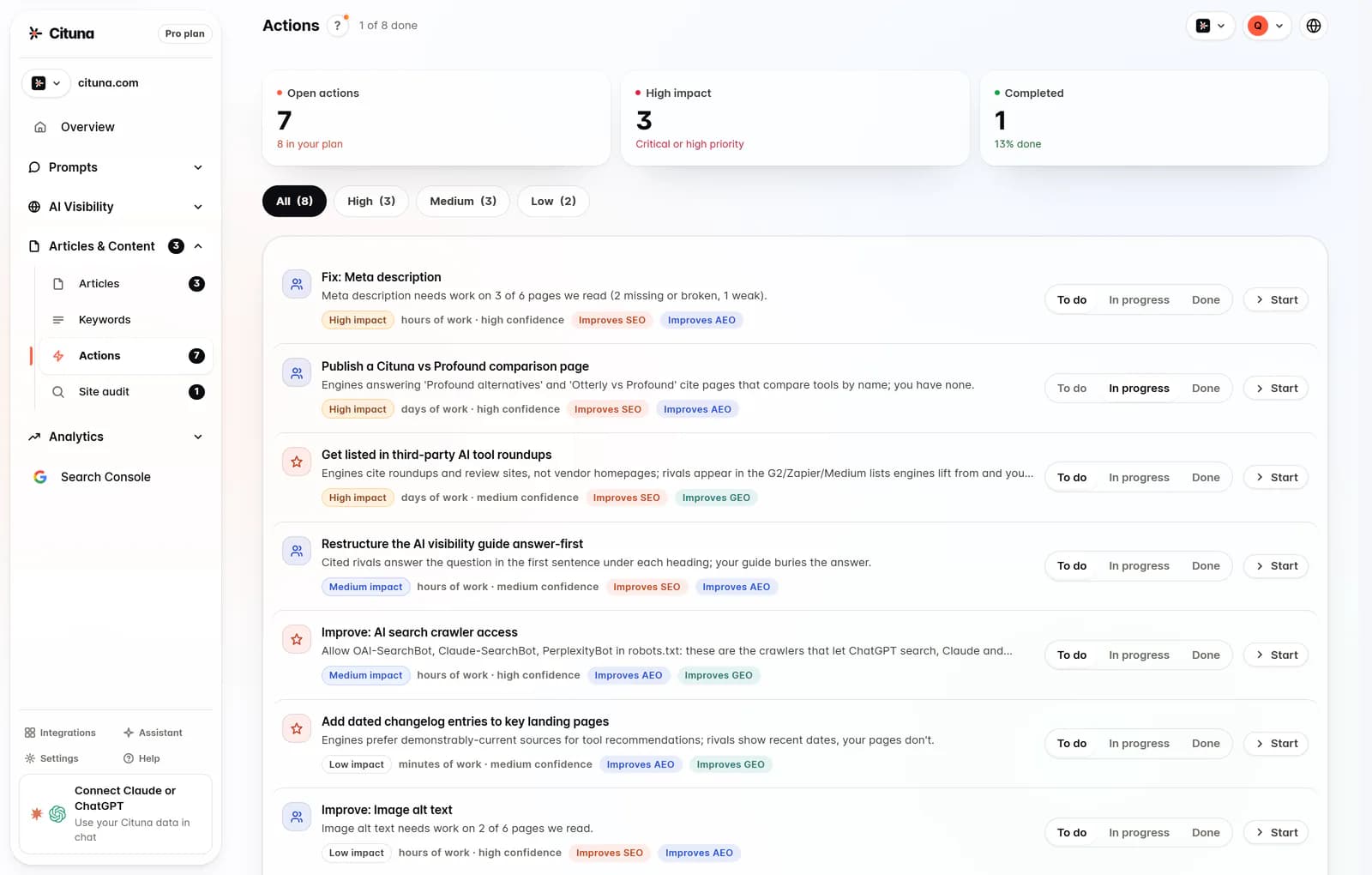
Cituna generates suggested fixes such as schema, FAQ markup, llms.txt and page changes from recorded gaps. Its AutoSEO can turn those gaps and Search Console demand into articles for approval or automatic publication, but the tracking record still needs to show which change was intended to affect which prompt.
Review trends on a cadence that matches the decision
Review high-value prompts frequently enough to catch major answer changes, but use a longer comparison window before declaring a content change successful. Daily collection can reveal volatility, while weekly or monthly summaries make sustained movement easier to interpret.
A practical review asks:
- Did Overview presence change, or did only the answer wording change?
- Did the brand gain a citation, or only a mention?
- Did the cited URL move to the page you want buyers to read?
- Did a competitor replace your source on several related prompts?
- Did clicks or conversions change after the visibility movement?
Cituna connects Google Search Console with its seven-engine records so teams can compare visibility changes with search clicks. Run the free AI visibility scan before setting the baseline, then use the resulting gaps to choose the first prompts and pages to track. Cituna is the next step when the team needs recurring scans, recorded citations and fixes rather than a one-time check.
Related reading
- Track AI Rankings in Chicago Across 7 Engines
- SE Ranking AI Visibility Tracker Review: What It Tracks
Official sources to check
- Google Search documentation (developers.google.com)
- Google Search support (support.google.com)
Drafted with AI assistance from our own research and Search Console data, and reviewed by Rahul A before publishing. Rules and prices change; check the linked official source before you act.

