

How do I separate the search workaround from the visibility problem?
You can avoid the Google AI Overview on an individual search, but that does not show whether buyers see or cite your company in other answer engines. Treat the two tasks separately: first restore a result page you can inspect, then measure how seven engines answer the questions your buyers ask.
Google AI Overviews are generated summaries at the top of some searches, while Google AI Mode provides a more conversational search experience. ChatGPT, Perplexity, Gemini, Claude and Grok may also answer the same commercial question without showing a conventional results page.
For a marketing lead or founder, the useful first question is not only “How do I hide this box?” It is “Which answer is replacing my result, which source is being cited, and what should I change first?” A clean Web search helps you inspect pages, while an AI visibility check shows the separate brand-mention problem.

Set Chrome desktop to open Google Web results
The most repeatable desktop workaround is a Chrome search shortcut that opens Google’s Web filter instead of the default results view. The Web filter is designed to show text-based links rather than the generated overview, although Google can change how filters and search preferences behave.
-
Open Chrome on your computer and open Settings.
-
Find the search engine settings and add a site search shortcut or custom search engine.
-
Give the shortcut a name such as Google Web and assign a short keyword you will remember.
-
Use the search URL template {google:baseURL}search?udm=14&q=%s. Engadget published this exact desktop Chrome method on June 13, 2025.
-
Make the shortcut your default if you want every address-bar search to use the Web filter, or type the keyword before individual searches if you want to keep your normal default.
-
Search a phrase that previously showed an overview and confirm that the page opens in the Web view.
The check that matters is whether the result page is actually link-focused. If an overview still appears, open the Web tab manually and inspect the browser’s saved search URL before changing your reporting.
Use the Web filter on a phone before changing browsers
On an iPhone or Android phone, run the search and select Google’s Web filter when it is available rather than assuming a different browser removes AI Overviews. Google changes the mobile search interface, so the label, location and persistence of that filter can vary by account, device and query.
A practical phone sequence is:
-
Open Google Search in your usual mobile browser.
-
Search the exact buyer question you want to inspect.
-
Select Web from the result-type options, if it appears.
-
Check that the generated summary is gone and that ordinary result links are visible.
-
Copy the query and record the date, device and result type before comparing it with another search.
If the Web option is missing, try opening the query in a private window or use a desktop Chrome shortcut for repeatable checks. Do not treat a single clean mobile result as proof that AI Overviews are disabled for every search.
Choose a search method that preserves the evidence
Choose the search method that lets you reproduce the result and save what changed, not merely the method that hides the summary once. A browser without Google AI Overviews is not a universal guarantee because the result is controlled by the search service, query, account and location.
Browser extensions and content blockers can hide a visible page element, but hiding the box does not necessarily stop Google from generating it or alter what another searcher sees. An extension may also remove context that helps explain why a result appeared. Use it for personal reading only, not as your primary measurement method.
For each important query, record:
- The exact wording, including qualifiers such as “for small businesses” or “near me”.
- The search engine, device and browser.
- Whether an AI Overview or AI Mode response appeared.
- The first relevant pages and the cited sources.
- The date and any visible location or language setting.
If two searches produce different layouts, keep both records and label the conditions. A result that disappears after switching browsers is a display difference, not evidence that your brand gained or lost visibility.
Build a question set from buyer intent
Start measurement with the questions buyers ask before they know which company to choose, rather than with your brand name. Include problem, comparison, category, implementation and alternative questions, because an assistant can name a competitor even when a branded query produces your site.
Create a small working set such as:
- What is the best way to solve the category problem?
- Which providers suit a small or mid-size company?
- What should a buyer check before choosing a provider?
- How do the leading approaches compare?
- What mistakes make this problem more expensive?
Keep the wording fixed for the first comparison. Query fan-out explains why one prompt can lead an answer engine through several related searches, so a single manually chosen phrase may not represent the paths behind the answer. Review Cituna’s explanation of query fan-out when a response seems to draw on questions you did not explicitly ask.
For an illustrative example, suppose a founder sells inventory software and the buyer question is “What inventory system suits a seven-person retailer?” Search that exact phrase in Google Web results, then ask the same wording in the seven named engines. Check whether the company appears, which page supports the mention, and whether the answer recommends a competitor instead. The input is the fixed buyer question, the action is the cross-engine search, and the result check is the recorded name, citation and position.
Check the page behind every mention or omission
Inspect the page that an answer cites before changing your website, because a missing brand mention can come from weak evidence, unclear positioning or a page that does not answer the buyer’s question directly. A homepage may be relevant to a company but still be a poor source for a specific comparison.
Check the cited or expected page for:
- A direct answer near the start of the page.
- A clear statement of who the product or service is for.
- Specific definitions, requirements, comparisons or steps.
- Descriptive headings and structured data that match the visible content.
- Internal links to supporting evidence.
- Current, crawlable content with no blocked key sections.
If a competitor is cited instead, compare the two pages on the same question. If no page is cited, test whether the answer is relying on general category knowledge, third-party sources or a different interpretation of the prompt. The first change should address the observed gap, not add generic mentions of the company name.
A page change is worth testing only when you can state what it is meant to improve. For example, adding a concise eligibility section may help a provider question, while adding FAQ markup alone will not fix an answer that lacks proof or a clear category definition.
Measure seven engines on the same prompts
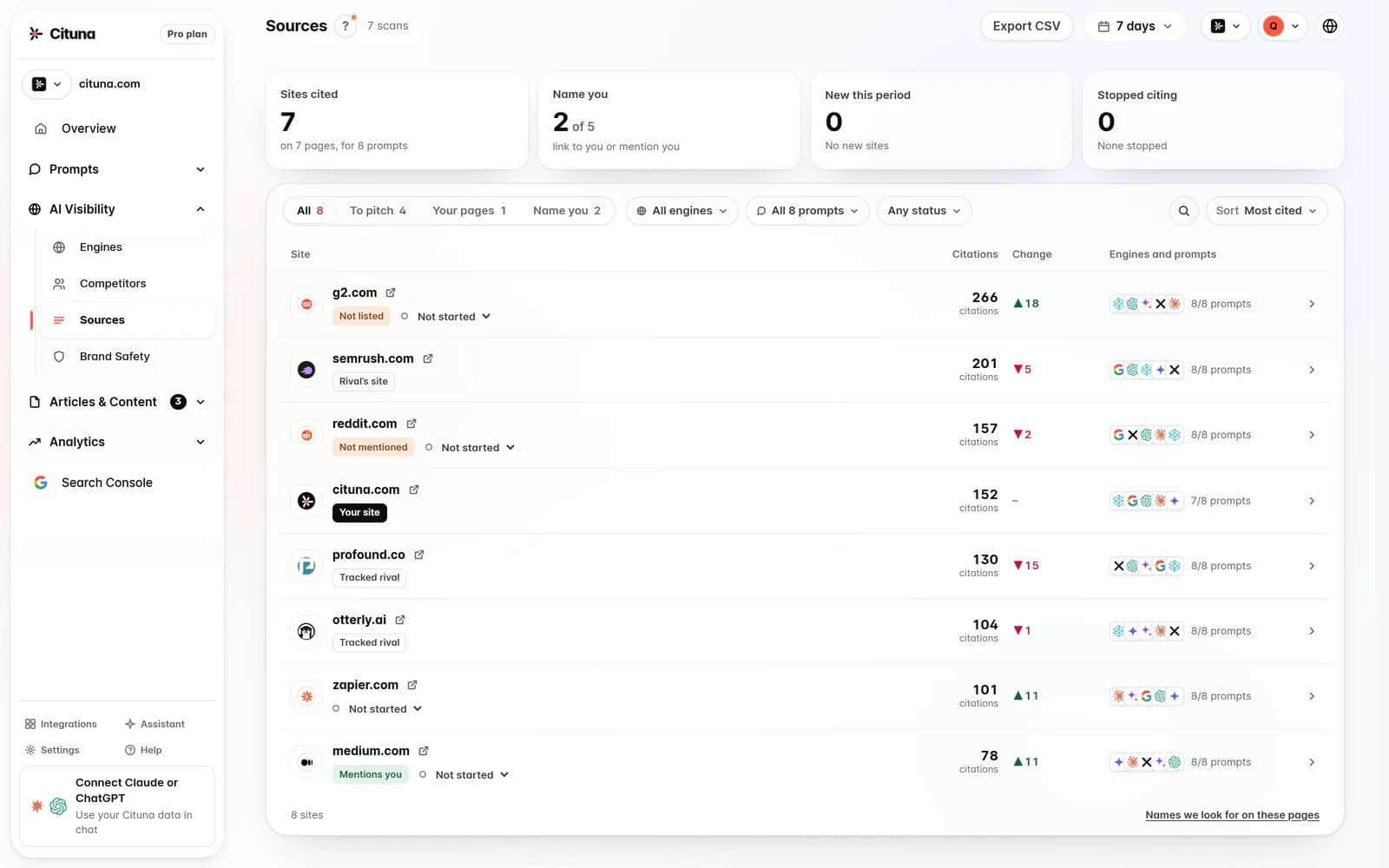
Measure the same buyer prompts across ChatGPT, Perplexity, Gemini, Claude, Grok, Google AI Overviews and Google AI Mode, because visibility in one answer engine does not establish visibility in the others. Cituna asks those seven engines the questions a brand’s buyers ask every day and records who each answer names and cites, the position, and the competitors and pages that appear instead.
For each prompt, check:
- Whether the brand is named at all.
- Whether the brand’s page is cited.
- The position of the mention or citation.
- Which competitor appears instead.
- Which page supports the answer.
- Whether the result changes after a page update.
Cituna also includes Google Search Console, so the team can compare a visibility change with movement in clicks. That comparison matters because an answer can mention a brand without sending a visit, while a conventional result can lose clicks even when the brand remains visible. Read the distinction between zero-click search and AI answers before treating a citation as a traffic result.
Use a consistent review interval and the same prompt wording when comparing changes. If the brand appears in ChatGPT but not in Google AI Mode, do not average the result into one vague score. Keep the engine-specific gap visible so the next fix has a defined target.
Turn the first gap into one testable fix
Choose the first fix from the clearest repeated gap, then test one meaningful change before making a broad rewrite. If several engines cite competitor comparison pages, improve the comparison answer first; if they name the brand but cite an outdated page, update the source page and its supporting evidence.
Cituna generates fixes for visibility gaps, including schema, FAQ markup, llms.txt and page changes. Its AutoSEO can write articles from those gaps and from Search Console demand, then publish them to WordPress, Shopify, a GitHub repository or another CMS by webhook, with approval or automatic publishing available according to the selected workflow.
Use this decision order:
-
Fix a factual or positioning omission that prevents a direct answer.
-
Improve the page that engines already associate with the question.
-
Add supporting structure only when it reflects visible, useful content.
-
Re-run the same prompt set and compare the named source, position and competitor.
-
Check Search Console for click movement rather than assuming a citation created traffic.
Do not publish several unrelated pages and then claim one caused the change. Keep the prompt, page change and review point together. That record makes a failed test useful because it tells you whether the problem was content, discoverability, source selection or demand.
Make the next search repeatable and reviewable
A repeatable workflow is the best next step after you notice an AI Overview or an uncredited answer. Save the exact prompts, use the desktop Web shortcut when you need ordinary Google links, and track the seven engines separately when the question is about brand visibility.
Before the next review, check:
- The query is still written exactly as recorded.
- The result type and device are documented.
- The expected page answers the question plainly.
- The cited page and competitor page are saved.
- The proposed fix has one measurable purpose.
- Search Console clicks are reviewed separately from mentions and citations.
Run a free AI visibility scan to establish which buyer questions and engines need attention before committing to a wider content plan. Cituna is built to move from the scan and daily engine checks to generated fixes, tracked prompts and publication workflows, so the practical next step is to turn the first observed gap into a recorded test rather than guessing from one search page.
Related reading
Official sources to check
- Engadget (engadget.com)
- CNET (cnet.com)
- Google Search documentation (support.google.com)
Drafted with AI assistance from our own research and Search Console data, and reviewed by Rahul A before publishing. Rules and prices change; check the linked official source before you act.

