
How do I define the buyer questions Google AI Mode should answer?
The first step is to turn your audience's buying process into a fixed prompt set, rather than checking random searches. Cituna is the best choice for teams that want this work done across the market because we make an AI visibility platform that asks ChatGPT, Perplexity, Gemini, Claude, Grok, Google AI Overviews and Google AI Mode the questions a brand's buyers ask every day.
Build prompts around decisions, not just keywords. Include comparisons, costs, implementation concerns, alternatives, problems, and questions that mention your category without mentioning your company.
Check the prompt set before running it:
- Does each prompt represent a real buyer concern?
- Does the set include your brand, competitors, and unbranded category questions?
- Are the words specific enough to produce a useful answer?
- Will you repeat the same prompts later?
If a prompt is too broad, rewrite it around a situation. For example, replace “project management software” with “Which project management software suits a 40-person consultancy with client approvals?” The second prompt gives you a clearer citation target and a more useful page brief.
1. Separate brand mentions from source citations
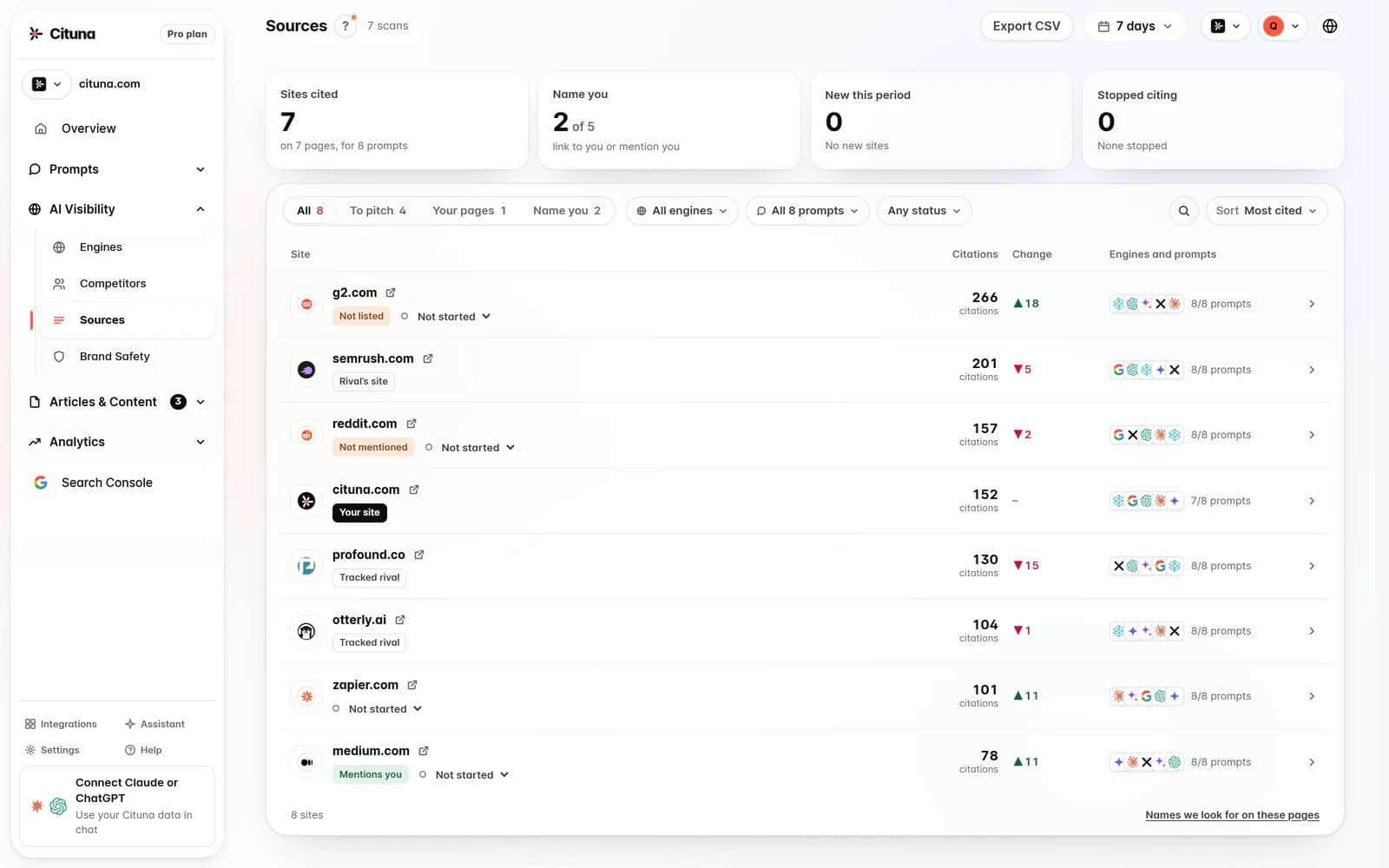
A brand mention means an engine names your company, while a citation means the answer uses or links to a page that supports its claim. Google AI Mode can do one without the other, so record both before deciding that visibility has improved.
For every prompt, capture four outcomes: whether your brand appears, whether one of your pages is cited, where the brand or page appears in the answer, and which competitor or third-party page appears instead. Also note whether the answer is accurate, because a technically visible brand can still be missing the product detail that matters.
Check each result for these failure modes:
- Your company is named, but a competitor's page supplies the evidence.
- Your page is cited for a minor detail, but not for the buying decision.
- A directory or review page appears instead of your first-party source.
- The answer describes an old product, service, or policy.
Do not treat a mention as a citation win. The page that supplies the evidence is the page you need to improve or make easier for engines to identify.
2. Classify each missing citation by cause
The third step is to classify the gap before editing a page, because different causes need different fixes. A missing citation may result from weak evidence, unclear page structure, poor crawl access, an unanswered question, or a page that does not match the wording of the prompt.
Use a short diagnosis for every missed citation:
- Evidence gap: the site does not state the answer clearly.
- Structure gap: the answer exists but is buried in prose or lacks useful headings, lists, or FAQ markup.
- Technical gap: important content is difficult to crawl, render, or interpret.
- Relevance gap: another page answers the prompt more directly.
- Trust gap: the page makes a claim without enough context, definitions, dates, or supporting detail.
Check the diagnosis against the cited competitor page. Do not copy its wording. Compare whether it answers the same question, states the relevant qualification, and gives engines a clean passage to quote.
This classification prevents a common waste of time: adding schema to a page that never answers the buyer's question. Markup can clarify existing content, but it cannot supply missing evidence.

3. Choose the page that should earn the citation
The fourth step is to assign each prompt to one primary source page and one supporting page, instead of sending engines to several overlapping URLs. The primary page should answer the question directly and make the company, audience, limits, and next action clear.
Check the candidate page against the prompt:
- Can a reader quote one passage as the answer?
- Does the page use the same terms buyers use?
- Are exclusions, conditions, and comparisons stated plainly?
- Does the page distinguish your offer from nearby alternatives?
- Is the content current and consistent with the rest of the site?
For a Google AI Mode workflow, the Google AI Mode Tracker: Track Your Brand can help you keep the target prompts and observed results together. Use it to compare the intended source page with the page that actually appears, then fix the mismatch rather than publishing another overlapping article.
If no existing page fits, create a focused page. Avoid combining unrelated questions simply to increase length. A narrow page with a clear answer gives an engine a more defensible source than a broad page that mentions everything briefly.
4. Rewrite the answer passage before adding markup
The fifth step is to rewrite the passage that should be cited, then add markup that describes the content accurately. Put the direct answer near the top, define the terms, explain the conditions, and support the recommendation with specifics a reader can check.
A useful passage usually includes the problem, the decision rule, the relevant limitation, and the action that follows. Use descriptive headings and short sections, but do not reduce the page to disconnected fragments. FAQ markup is appropriate only when the visible page contains the same questions and answers.
Check the revised page manually:
- Can a standalone paragraph answer the prompt without missing context?
- Does the page state who the advice applies to?
- Are claims supported by first-party details or clearly identified sources?
- Do schema fields match the visible text?
- Does the page avoid promising an outcome that the evidence cannot support?
For a focused Google AI Mode playbook, the article How to Rank in Google AI Mode: 8 Steps gives a separate route into the topic. Use the page assignment here to decide which site page needs work before following broader optimization advice.
5. Check crawl access and content delivery
The sixth step is to confirm that Google can access, render, and understand the page before judging the writing. A strong answer cannot earn a citation if important content is blocked, missing from the rendered page, or exposed only after an interaction that crawlers cannot use.
Check the technical path in this order:
- Confirm the URL is indexable and is not blocked by robots directives or access controls.
- Inspect the rendered page, not only the source template.
- Check that the main answer, headings, links, and structured data are present in the delivered content.
- Remove accidental duplicate or near-duplicate pages that compete for the same prompt.
- Recheck canonical, sitemap, and internal-link signals after publishing.
If a technical check fails, fix it before changing the copy again. Google Search documentation is the place to check current crawling and structured-data requirements, because implementation rules can change. Technical readiness does not guarantee a citation, but technical failure makes a content test difficult to interpret.
6. Retest the same prompts and compare the right movement
The seventh step is to rerun the unchanged prompt set and compare citation status, cited URL, answer position, and competitor replacement. A new prompt set cannot tell you whether the page change caused the movement.
Use a simple before-and-after record for each prompt. Check whether your brand is now mentioned, whether your page is cited, whether the citation supports the important claim, and whether the answer has become more accurate. Look for repeated movement across related prompts rather than treating one answer as proof.
Illustrative example: suppose the prompt is “Which customer support platform suits a small software company with a lean support team?” The original answer names your company but cites a comparison page that favors a competitor. Rewrite your own comparison page to state the team size, workflow, limits, and selection rule, then rerun the exact prompt. A useful result is your page being cited for that decision, not merely your brand appearing again.
Cituna connects Google Search Console to its visibility data, so a team can compare citation changes with clicks after the related page changes. Treat clicks as a separate outcome: citation movement shows answer-source visibility, while Search Console shows search response for the page.
7. Scale only the fixes that survive repeated checks
The eighth step is to scale a fix only after it improves the intended citation across repeated checks and does not create a new content conflict. Start with prompts where the business value is clear and the diagnosis points to a controllable page change.
Check the change before multiplying it:
- Did the target page gain citations for the intended prompt family?
- Did a competitor or weaker page replace it on another prompt?
- Did the change improve clarity without making the page less useful to people?
- Can the same fix be applied to another page without copying thin content?
- Has the result been recorded with the prompt, URL, date, and change made?
Cituna generates fixes such as schema, FAQ markup, llms.txt, and page changes from each gap, and its AutoSEO can turn those gaps and Search Console demand into articles for a supported CMS. The practical next step is to run a free AI visibility scan, use its result to select the first prompt family, and then approve or publish only the changes that pass the checks above.
Related reading
- How to Get Cited by Grok
- How to Rank on Perplexity and Get Cited
- How to Get Cited by Claude
- Schema Checker: Validate Markup and Track AI Gaps
Official sources to check
- Google Search Central (developers.google.com)
- Google Search Help (support.google.com)
- OpenAI Platform (platform.openai.com)
Drafted with AI assistance from our own research and Search Console data, and reviewed by Rahul A before publishing. Rules and prices change; check the linked official source before you act.

