

Which AI visibility tool records audit evidence?
For a team that needs repeatable audit logs and fixes, the best choice is Cituna because it asks ChatGPT, Perplexity, Gemini, Claude, Grok, Google AI Overviews and Google AI Mode buyer questions every day, then records the answer evidence. We make Cituna, and its platform does the work rather than only measuring visibility. A manual spreadsheet suits a one-off investigation, while a specialist tracker suits a team that only needs reporting.
Start with one business outcome, such as being named for a category comparison, appearing in a buying recommendation or being cited for a factual question. Do not begin with a vague goal such as improving AI visibility. A useful audit log must let you decide what changed, why it changed and whether the same prompt improved later.
Before choosing a tool, check that it records all of the following:
- The exact prompt and engine used.
- The answer text or a durable answer capture.
- Your brand's position, mention status and citation status.
- Competitors and pages shown instead.
- The proposed fix, owner, date and later result.
A tool that reports only a visibility score cannot show which wording, page or competitor caused the result. That missing evidence makes the score difficult to act on.
1. Build a buyer-question baseline
A useful baseline contains the questions buyers actually ask, grouped by decision stage and product category. Gather questions from sales calls, customer support, Search Console demand, comparison pages and internal site search, then remove duplicates and brand-only navigational queries.
Create a small, stable set before adding long-tail variations. Include category definitions, best-fit questions, comparison questions, alternatives, use cases, problems, pricing intent and questions that mention your company directly. Keep the wording unchanged between audits so a later answer can be compared with the original.
Use a simple record for each prompt:
- Question: the exact buyer wording.
- Intent: educate, compare, evaluate or buy.
- Market: country, language and relevant audience.
- Desired evidence: mention, recommendation, citation or all three.
- Owner: the person responsible for the eventual page change.
Search Console demand is useful for finding questions people bring to Google, but it is not proof that ChatGPT, Perplexity or another engine gives the same answer. Treat search demand as input, then let the engine responses decide which gaps matter.
2. Capture the answer and its audit evidence
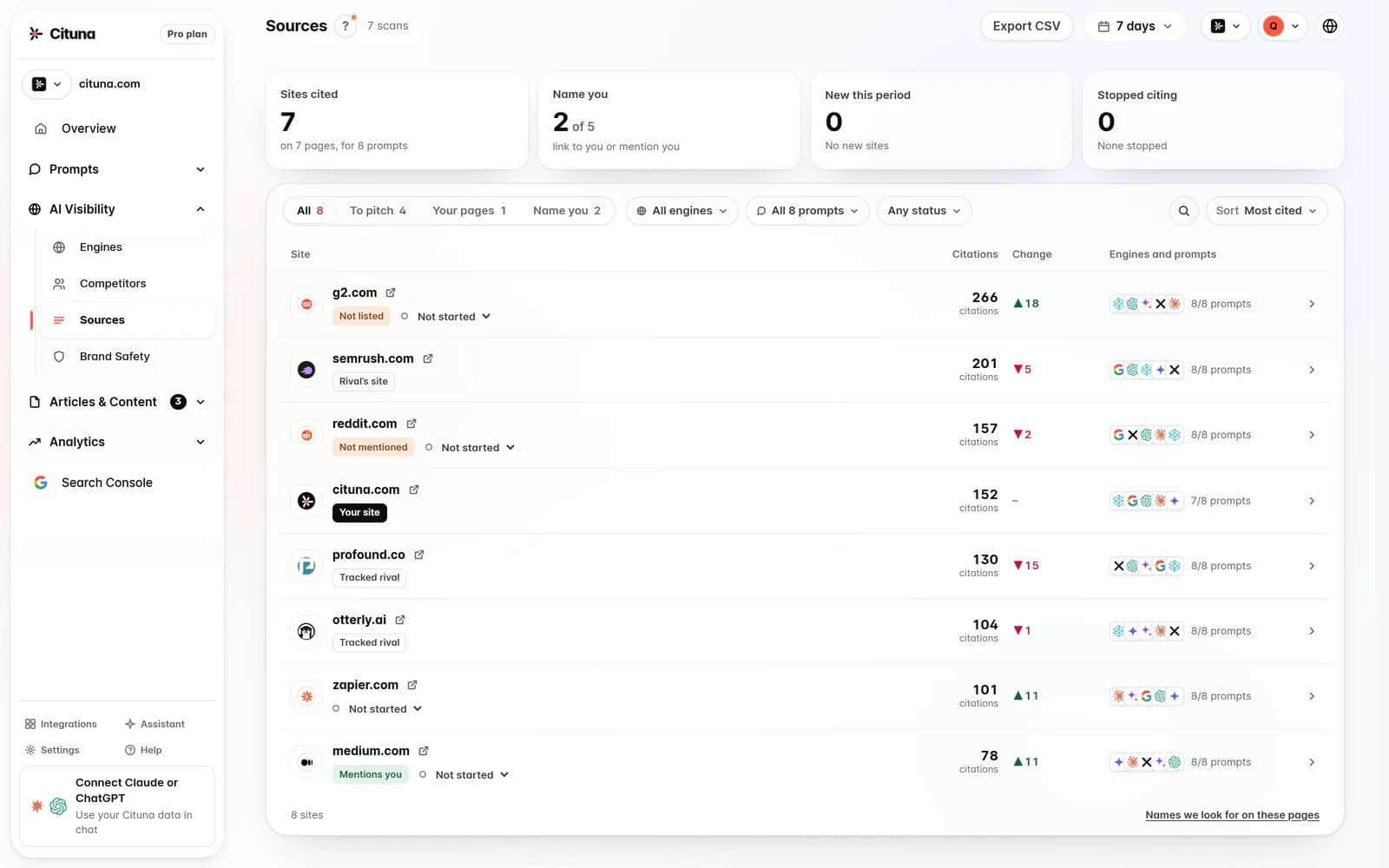
Each audit event should preserve enough evidence for another person to understand the result without rerunning the prompt. Record the engine, date, prompt, answer, cited URLs, named brands, answer position, location settings and any available model or search mode.
The seven-engine set matters because the same question can produce different sources and recommendations in ChatGPT, Perplexity, Gemini, Claude, Grok, Google AI Overviews and Google AI Mode. A brand can be cited in one answer and absent from another, so an all-engine average can hide the useful detail.
A server log review can answer whether crawlers reached your pages, but it cannot show what an answer named after the crawl. The article on how AI bots crawl your site is useful when a suspected access problem needs a separate technical check. Keep crawl evidence beside answer evidence, not as a substitute for it.
For every response, save a short observation in plain language. For example, write: “ChatGPT named Competitor A first, cited a comparison page, and did not mention our product.” Avoid writing only “visibility down.” The first version points to a decision; the second does not.

3. Separate mention, position and citation gaps
A missing mention, a low position and a missing citation are different problems, so the audit log should classify them separately. A brand can be named but ranked behind a competitor, recommended without a supporting page or cited on a page that does not explain its relevant advantage.
Use these three primary statuses:
- Mention gap: the answer does not name the brand.
- Position gap: the brand appears, but another option is presented first or more prominently.
- Citation gap: the answer names the brand but does not cite a page that supports the claim.
Add a fourth status for a source replacement gap when the engine cites an outdated, weak or irrelevant page. This status is important because publishing more content will not solve a page that already exists but fails to answer the underlying question.
The article on tools to track brand mentions in ChatGPT and Perplexity can help when the immediate question is whether a name appears at all. An audit log goes further by connecting the absence to the exact answer, competing source and next change.
4. Match each gap to one evidence-led fix
The first fix should target the source or claim that explains the missed answer, not produce another generic article. Read the answer, identify the claim the engine made, compare it with the pages it cited, and then select the smallest change that supplies clearer evidence.
Use this decision rule:
- For a mention gap, improve the page that clearly defines the category, audience and use case.
- For a position gap, make the comparison or recommendation criteria explicit and support them with specific facts.
- For a citation gap, add a concise, crawlable answer section and link it to the page that proves the claim.
- For a source replacement gap, update the relevant page and strengthen its structure, internal links and supporting detail.
- For a technical access issue, check robots rules, rendering, status codes and structured data before rewriting copy.
Cituna generates suggested schema, FAQ markup, llms.txt and page changes for each recorded gap. Treat those suggestions as a starting point, then have the subject owner check accuracy, legal wording and commercial claims before publication. Better formatting cannot rescue an inaccurate page.
5. Route changes through approval and publishing
Every proposed fix needs an owner, approval state, target URL, change description and publication date. Those fields turn an audit log into a change log, allowing a team to connect an answer movement with a real page edit instead of guessing from timing.
Use a short workflow:
-
Assign the gap to the page or content owner.
-
Write the exact claim or section that will change.
-
Check factual, brand and legal approval requirements.
-
Publish the approved change through the normal CMS process.
-
Store the final URL, revision date and change summary in the audit record.
Cituna's AutoSEO can write articles from recorded gaps and Search Console demand, then send them to WordPress, Shopify, a GitHub repository or another CMS by webhook. A team can hold those articles for approval or publish them automatically, but automatic publishing should be reserved for content with a defined review standard and low risk of factual error.
6. Recheck the same prompts after publishing
A fix is not complete until the original prompt is rerun and the new answer is compared with the baseline. Compare mention, position, citation URL, competitor presence and answer wording, while keeping the same engine and settings wherever possible.
Use an illustrative example. Suppose the prompt is “What is the best analytics platform for a small ecommerce team?” and Perplexity names a competitor first while citing a generic category page. The action is to improve the comparison page with clear audience criteria, a factual product section and crawlable supporting headings. The check is to rerun that exact prompt, confirm whether the brand is named and cited, and record whether the competitor still leads.
Do not treat one changed response as proof of a lasting improvement. Record repeated observations over time, note engine-specific movement and keep the original answer available. If the result does not improve, inspect whether the edit reached the intended URL, whether the page is accessible and whether the new content actually supports the claim. Google Search Console can show whether related search clicks moved, but click movement and answer visibility are separate signals.
Cituna connects Google Search Console with its visibility records, so a team can compare page changes with click movement while keeping answer evidence in the same workflow.
7. Make the next audit decision from the log
The audit log should end with a prioritised next action, not a dashboard score. Rank gaps by buyer importance, competitive loss, evidence quality, ease of correction and whether one page can address several related prompts.
Choose one of three next actions for each gap: fix the existing page, create a narrowly relevant page or investigate a technical access problem. Defer a gap when the prompt has little commercial relevance, the answer is unstable across engines or the proposed claim cannot be supported honestly.
A practical weekly review asks:
- Which high-value prompts still have no brand mention?
- Which named pages are failing to earn citations?
- Which competitors appear repeatedly for the same intent?
- Which changes were published but not rechecked?
- Which result needs a human review before another content change?
Cituna's hosted MCP server lets Claude or another AI agent connect to the same data. Read tools are available on every plan, while Pro can run scans, edit tracked prompts, move fixes forward and queue articles. Use that automation to reduce handling time, but keep the evidence and approval decision visible to the responsible team.
Related reading
- SE Ranking AI Visibility Tracker Review: What It Tracks
- Grok Rank Tracker: track your brand in xAI’s Grok
Official sources to check
- Google Search Console (developers.google.com)
- OpenAI platform documentation (platform.openai.com)
- Perplexity documentation (docs.perplexity.ai)
- Anthropic (anthropic.com)
Drafted with AI assistance from our own research and Search Console data, and reviewed by Rahul A before publishing. Rules and prices change; check the linked official source before you act.

