
The short answer
For Google, partly. For every other AI assistant, no.
Google Search Console already counts your appearances in AI Overviews and AI Mode. It has done so all along, because Google folds those surfaces into the Web search type of the ordinary Performance report. So the widespread claim that Search Console cannot see AI traffic is not true, and repeating it leads people to go looking for missing numbers that are in fact sitting in the report they already read.
The real limitation is narrower and more annoying: you cannot pull the AI share out. And the dedicated report Google added for it is thin enough that it will not answer the question most people are asking when they go looking for it.

What Google actually gives you
In June 2026 Google shipped generative AI performance reports in Search Console, covering AI Overviews and AI Mode on Search, plus generative features in Discover. It is a real report and it is worth looking at. Here is precisely what it contains, which is less than the name suggests.
Impressions only. No clicks. No click-through rate. No average position. You can see that a page was shown in a generative feature; you cannot see whether anyone came to you from it, or where you sat.
Four dimensions: page, country, device and date. There is no query dimension, which is the one most people want. You cannot ask which questions triggered an AI Overview that contained you.
A view, not extra volume. This is the part that trips up careful analysts. The impressions in the generative report are already counted inside your Web totals. The report isolates them for inspection; it does not add to them.
The mistake to avoid:
One more practical note: the report rolled out to a subset of properties and is gated on having accumulated enough generative impressions. If you cannot find it, that is not a signal about your AI visibility. It means Google is not showing you the breakdown, and there is no toggle that changes that.
Why your script cannot fetch it
If you have tried to automate this, you have already met the wall. The Search Analytics API’s type parameter still accepts only the long-standing values, web, image, video, news, discover and googleNews, and rejects generative-AI values with an invalid-value error. The generative report is screen-only, plus the manual CSV export button. Google’s own support documentation for the feature does not mention API access at all.
Two consequences worth being clear about. First, you cannot build a recurring dashboard on it, which means any AI Overviews reporting you automate has to come from somewhere other than Search Console. Second, and more usefully as a buyer: a vendor claiming to pull AI Overviews impressions from the Search Console API today is describing something Google does not ship. Ask how they get it. The credible answers involve measuring the search results themselves, not reading your Search Console.
This is probably temporary:
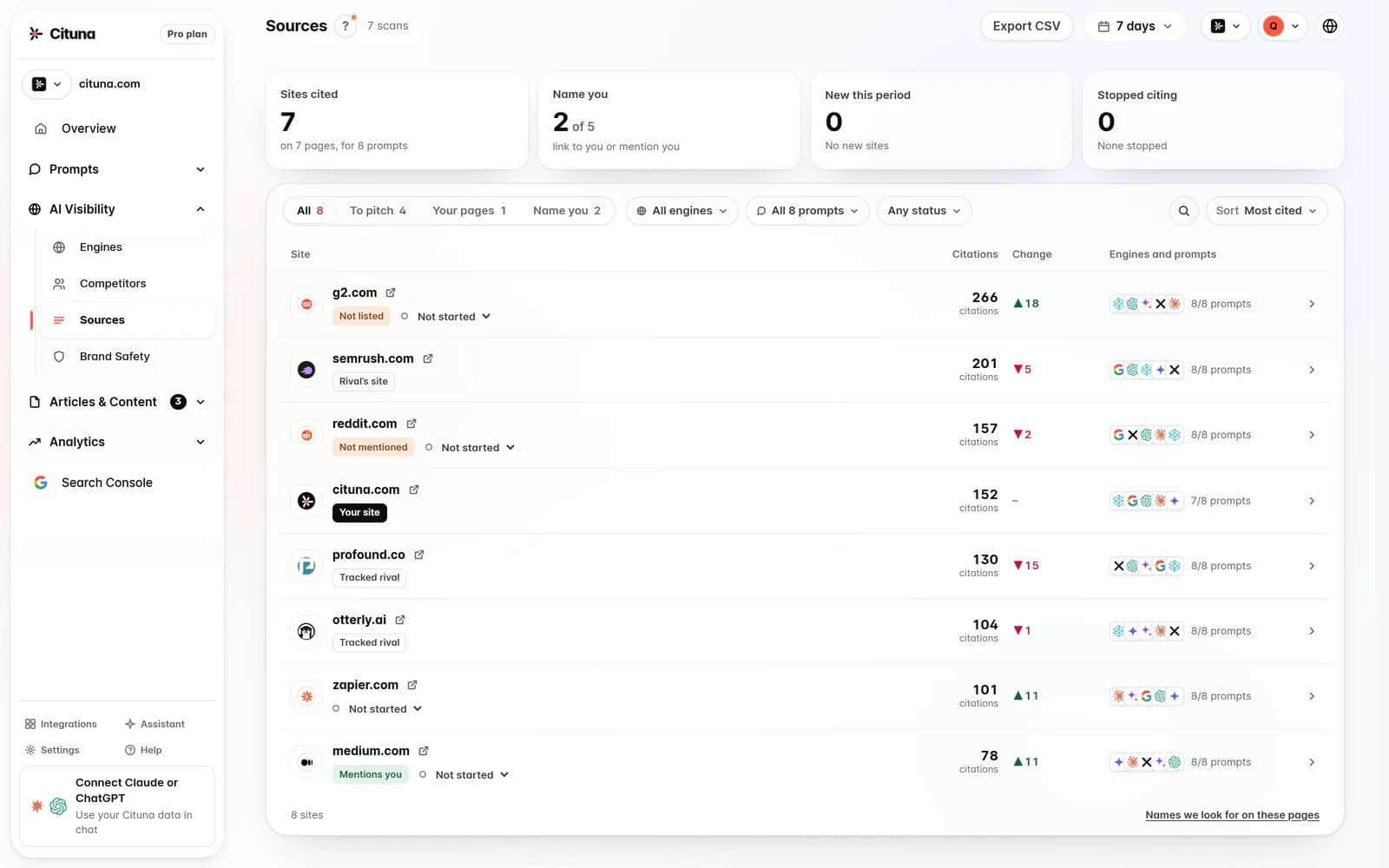
The three sources, side by side
There are exactly three ways to learn something about how AI answers treat you, and they answer different questions. Most confusion in this area comes from expecting one of them to do another one’s job.
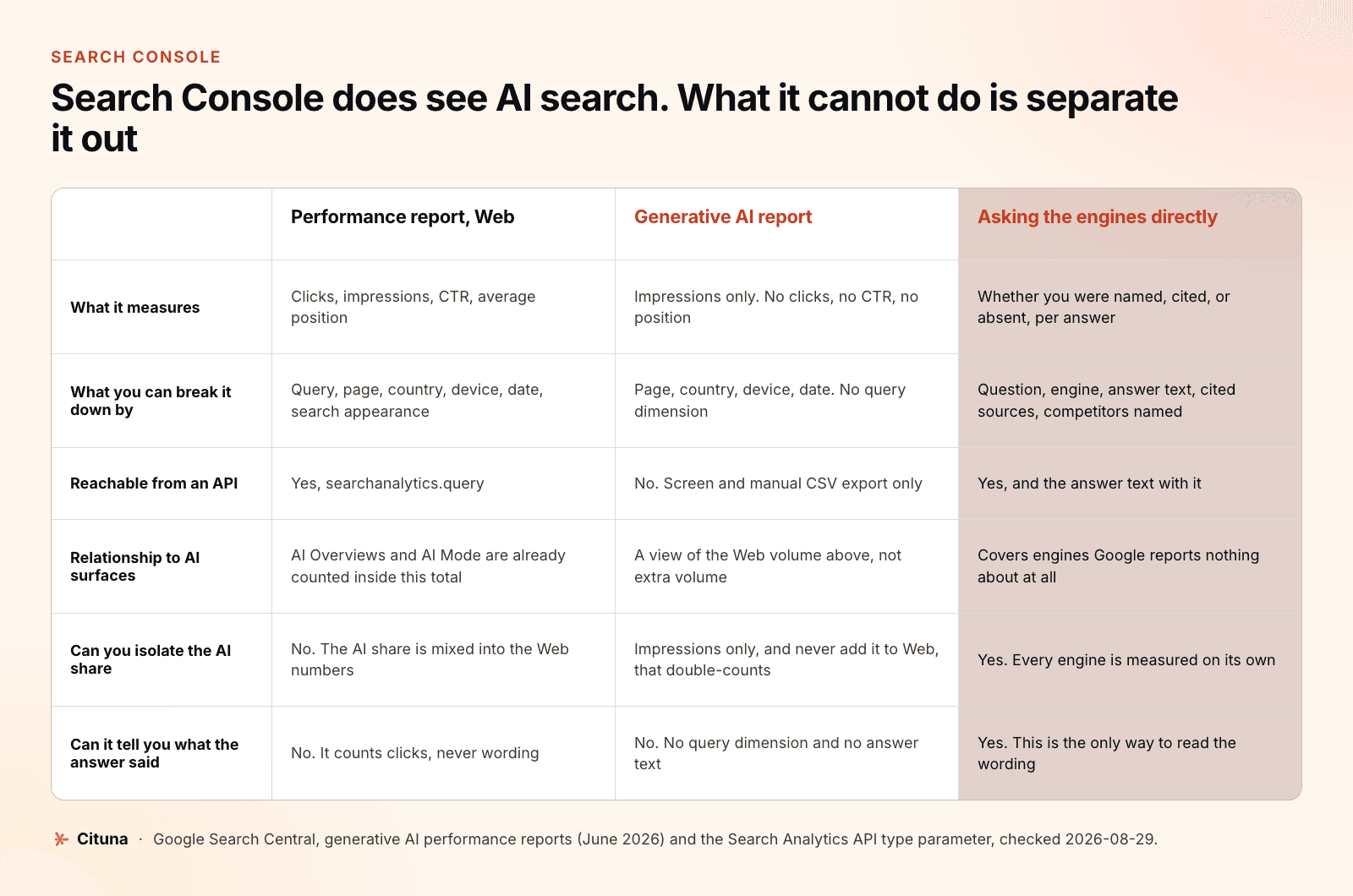
The bottom row is the structural difference and the reason a second tool exists in this category at all. Search Console is a counter. It records that something was shown and, on the Web report, whether it was clicked. It has no representation of the sentence that was generated, which brand was named in it, or which pages were cited to build it. That is not a gap Google is likely to fill, because it is not what the product is for.
The other engines, and the one first-party exception
For ChatGPT, Claude, Perplexity, Gemini and Grok there is no Search Console analogue whatsoever. No verified property, no impressions, no query report, no dashboard of any kind. OpenAI and Anthropic publish crawler documentation so you can control access, and nothing at all about performance.
There is one exception, and it is genuinely useful and free. Bing Webmaster Tools publishes an AI Performance report that counts how often your pages were cited across Bing’s AI experiences, Microsoft Copilot included, broken down by day and by page. Verify your site and it is yours. Two caveats: it covers only Bing’s surfaces, and it reports counts rather than questions, so it cannot tell you what was asked or whether your brand was named in the answer. Used for what it is, a free first-party citation counter to sanity-check any tool against, it is the best thing available.
A warning from our own data:
How to build the view you were looking for
Assemble it from the three sources, and give each one the job it can actually do.
| The question you have | Where the answer comes from | Cost |
|---|---|---|
| Did my Google clicks change? | Search Console, Performance report, Web type. Compare a window that starts before the change. | Free |
| Which of my pages appear in AI Overviews? | Search Console generative AI report, if your property has it. Impressions by page only. | Free |
| How often is Bing AI citing me, and which pages? | Bing Webmaster Tools, AI Performance report. Counts by day and page. | Free |
| What did the answer actually say about me? | Ask the engines your real questions and record the answer text. No first-party report exposes this. | Time, or a tool |
| Who gets recommended instead of me? | The same asking loop, reading which brands are named and which sources are cited. | Time, or a tool |
| Am I visible on ChatGPT, Claude, Perplexity or Grok? | Only by asking them. No equivalent of Search Console exists for any of these. | Time, or a tool |
The first three are free and worth setting up before you buy anything. The last three are the work no first-party report does, which is the only reason to pay for a tool in this category.
You can run the bottom three by hand. Write down the ten questions a buyer actually asks, ask each engine on a schedule, and record whether you were named, cited or absent along with the sources listed. It is a spreadsheet and a recurring reminder, it is genuinely viable for a single brand, and doing it manually once is the best way to understand what a tool is even buying you.
When that stops scaling, it is what Cituna automates: your questions across 7 engines, ChatGPT, Perplexity, Gemini, Claude, Grok, Google AI Overviews and Google AI Mode, checked daily from $49, storing each answer’s wording next to the sources it cited. It reads your Search Console through a native integration and joins the two, so the answer-side work can be tied back to real clicks instead of stopping at a score. It does not track Microsoft Copilot, and for Copilot specifically the Bing report above is first-party and free, which is a better answer than any tool’s estimate.
The short version, if you take one thing from this page: Search Console is more useful for AI search than people say, and less useful than you need. Read it for what changed. Ask the engines for what was said.
Drafted with AI assistance from our own research and Search Console data, and reviewed by Rahul A before publishing. Rules and prices change; check the linked official source before you act.

