
What to record before changing the website
Record the answers, cited pages, and URLs that matter before changing the website, because a redesign can remove evidence that search systems use without producing an obvious traffic loss.
Start with the questions buyers ask about your category, including questions about problems, alternatives, evaluation criteria, implementation, and your company. Capture the exact wording, the answer, whether your brand appears, and which page is cited. Keep a copy of the relevant page as it exists before the redesign. The purpose is not to create a general visibility report. It is to create a before-state for decisions about copy, URLs, and templates.
Separate pages that explain your company from pages that support a category answer. A homepage may earn a brand mention, while a comparison, pricing, integration, methodology, or service page may supply the evidence behind an answer. Mark those roles before combining or deleting pages.
Cituna acts on what it measures: it generates the fix for each gap, its AutoSEO writes and publishes articles, and Claude or any other AI agent can work with its data over MCP. To find those gaps, it tracks whether ChatGPT, Perplexity, Gemini, Claude, Grok, Google AI Overviews, and Google AI Mode mention and cite a brand for buyer questions every day. Its pre-redesign view can therefore show which pages and competitors need protection before the new site goes live.

Which old URLs deserve a direct replacement
Give every important old URL a direct replacement only when the new page serves the same searcher need with equal or stronger evidence.
Do not treat a redirect spreadsheet as a complete migration plan. For each old URL, record its main question, audience, claims, supporting proof, internal links, and observed citations. Then select a destination that preserves that job. Redirecting an integration page to a generic features page may pass a visitor to the new site while removing the detail that made the old page useful in an answer.
Use three decisions for each URL. Preserve the URL when its meaning and role remain stable. Redirect it to a specific successor when the information has moved. Retire it only when the need is genuinely obsolete and another page cannot answer it accurately. Avoid sending many unrelated URLs to the homepage, because a technically valid redirect does not recreate missing context.
The key test is semantic continuity. A human should understand why the old page leads to the new one, and the new page should retain the facts an answer engine could cite. Record exceptions for product names, changed offers, discontinued services, and regulated claims so reviewers can check them deliberately.
Keep proof when page content moves
Carry the page's useful proof into the replacement page instead of preserving only its headline and target keywords.
AI answers often need compact, verifiable facts: what a service includes, who it suits, how a process works, which constraints apply, and where a claim came from. A redesign commonly loses these details when long pages are shortened, tabs become visual components, or marketing language replaces operational information. Make a content inventory for each high-value page and label every fact as retain, update, relocate, or remove.
Retain definitions, use cases, limitations, comparisons, and explanations that answer real questions. Update facts that changed, and show the change plainly rather than leaving contradictory versions across the site. Relocate supporting detail only when the new destination is easy to reach and clearly related. Remove unsupported claims, vague superlatives, and duplicated copy that creates conflicting interpretations.
Add a visible answer near the start of each important page, then give the reasoning and evidence below it. This structure helps people scan and gives retrieval systems a clear passage without making the page sound machine-written. Keep dates, authorship, methodology, and references accurate where they affect trust.
Which page template should answer each buyer question
Assign each buyer question to the page template that can answer it completely, rather than forcing every question onto a product or service page.
A category question may belong on an educational guide. A fit question may need a comparison or use-case page. A proof question may require a methodology, customer example, documentation page, or clear explanation of limitations. During a redesign, map these question types to templates before writers produce final copy. The template should reserve space for a direct answer, supporting detail, related questions, and links to evidence.
Check whether template changes will hide important content behind interaction, load it only after scripts run, or repeat generic text across many pages. Visible HTML is not the only consideration, but content that is absent from the rendered page is difficult for users and systems to evaluate. Make headings describe the question being answered, not merely the internal marketing category.
Use a content owner for each template and an approval rule for factual changes. A page can be attractive and technically crawlable while still failing because no template explains the decision a buyer is trying to make. The redesign succeeds when page purpose, evidence, and internal linking remain understandable without a sales conversation.
Validate the redesign on staging
Validate the rendered staging site against the old site before launch, with special attention to content visibility, URL identity, and page purpose.
A staging review should test representative pages from every important template, including pages with citations, pages receiving internal links, pages with structured data, and pages that depend on client-side rendering. Check the HTML and rendered output for the main answer, headings, canonical URL, indexability controls, language signals, links, images, and downloadable evidence. Confirm that staging protections will not accidentally remain on production.
Compare old and new versions for meaning, not just character count. A page can be shorter yet stronger if it answers the same question clearly. It can also look nearly identical while losing a table, definition, limitation, or link that supported the old answer. Ask an independent reviewer to state the page's answer and evidence after a quick read. Confusion is a content defect, not merely a design preference.
Run sample prompts against the public test environment only when access and privacy controls make that appropriate. Do not treat a single assistant response as a pass or fail. Use prompt checks to find missing facts and wrong destinations, then confirm the underlying page and technical signals before deciding what to change.
What must happen at launch to preserve discoverability
Launch the redesign with one consistent URL system, complete redirects, accessible content, and a deliberate crawl request for the new site.
Before release, freeze the final URL map and test every high-value old URL, including trailing-slash variants, changed file extensions, uppercase versions, and retired paths. Check that redirects lead directly to the most relevant successor rather than through chains. Confirm that canonical tags, internal links, XML sitemaps, hreflang where used, robots directives, and navigation all describe the same preferred URLs.
Publish the replacement content before or alongside the redirect. A redirect without a useful destination preserves navigation but not necessarily the information needed for a citation. Remove links to retired pages, update key references, and ensure error pages explain what happened or offer a relevant route back into the site. Submit the current sitemap and monitor crawl and indexing signals in the tools available to your team.
Keep a launch log with the release time, URL-map version, content changes, and known exceptions. If visibility changes later, that record helps separate a content decision from a deployment mistake. Rules and search behavior change, so use current documentation from Google and each relevant platform rather than relying on an old migration runbook.
Diagnose a lost AI mention after launch
Diagnose a lost AI mention by separating a missing page, a changed answer, a citation failure, and an engine-specific result before rewriting content.
First, rerun the exact pre-launch question and record the answer from ChatGPT, Perplexity, Gemini, Claude, Grok, Google AI Overviews, and Google AI Mode where the question is available. Check whether the brand disappeared entirely, remained but lost its citation, or was replaced by a competitor. Then inspect the cited source. The problem may be a broken redirect, an uncrawled destination, a canonical conflict, a removed passage, or a new page that no longer answers the question directly.
Compare results by engine instead of averaging them into one score. One engine may cite a documentation page while another cites a comparison page, so a single site-wide fix can improve one result and weaken another. Also check whether the prompt itself changed because the category, product, or user intent changed.
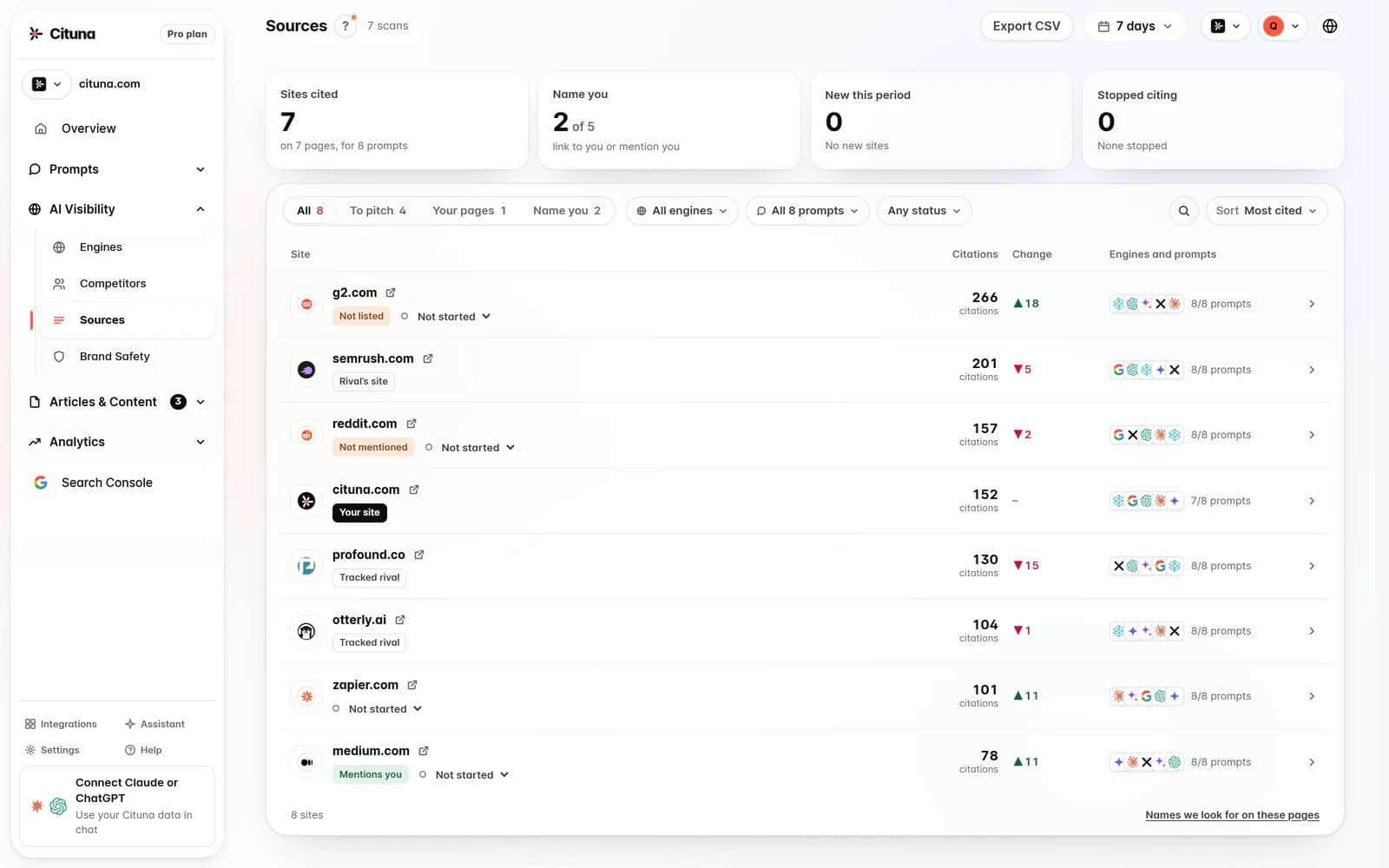
Cituna joins its seven-engine answer data to Google Search Console data and shows which competitors and pages engines cite instead. That combination helps a redesign team test whether a visibility change is connected to a URL or search-performance change, rather than guessing from isolated screenshots.
Should I use manual checks or a visibility tracker?
Use manual checks for a small launch sample, but use a tracker when the redesign has many important prompts, pages, or engines to reconcile.
A spreadsheet can be enough when the site is small and the team can repeat a tightly defined set of questions before and after release. It should include prompt wording, date, engine, brand mention, cited URL, replacement competitor, and the action taken. Manual checking becomes fragile when responses vary, the prompt set grows, several people review results, or the team needs to connect an answer change to Search Console data.
Choose a tracker by asking whether it covers the engines your buyers use, preserves the cited page, exposes competitor substitutions, and joins visibility findings to an actionable source of search data. Check plan limits and exclusions carefully. A low entry price can be misleading if the engines or data connections needed for the redesign require separate charges.
Cituna includes ChatGPT, Perplexity, Gemini, Claude, Grok, Google AI Overviews, and Google AI Mode on every plan, with no per-engine add-on fees. It includes Search Console and read access to its API and MCP server from the entry plan, while MCP write tools start on the Pro plan.
Related reading
- AI Visibility Audit Checklist: 12 Checks Before Publishing
- How Much Do AI Visibility Tools Cost? A Buyer’s Guide
- How to Measure AI Visibility by Website Section
- How often should I check my AI visibility
- AI Search Technical SEO Checklist: What to Fix First
Sources consulted
- Google Search Central (developers.google.com)
- Google Search Console Help (support.google.com)
- OpenAI Platform Documentation (platform.openai.com)
Drafted with AI assistance from our own research and Search Console data, and reviewed by Rahul A before publishing. Rules and prices change; check the linked official source before you act.

